
Guardrails
Guardrails applies validation rules and external provider checks to every request that passes through the AI Gateway. Rules run before prompts reach a model; a failing rule blocks the request.
Read this if you administer the platform AI Gateway. This tab is plan-gated: if it appears locked in the nav, your plan does not include guardrails.
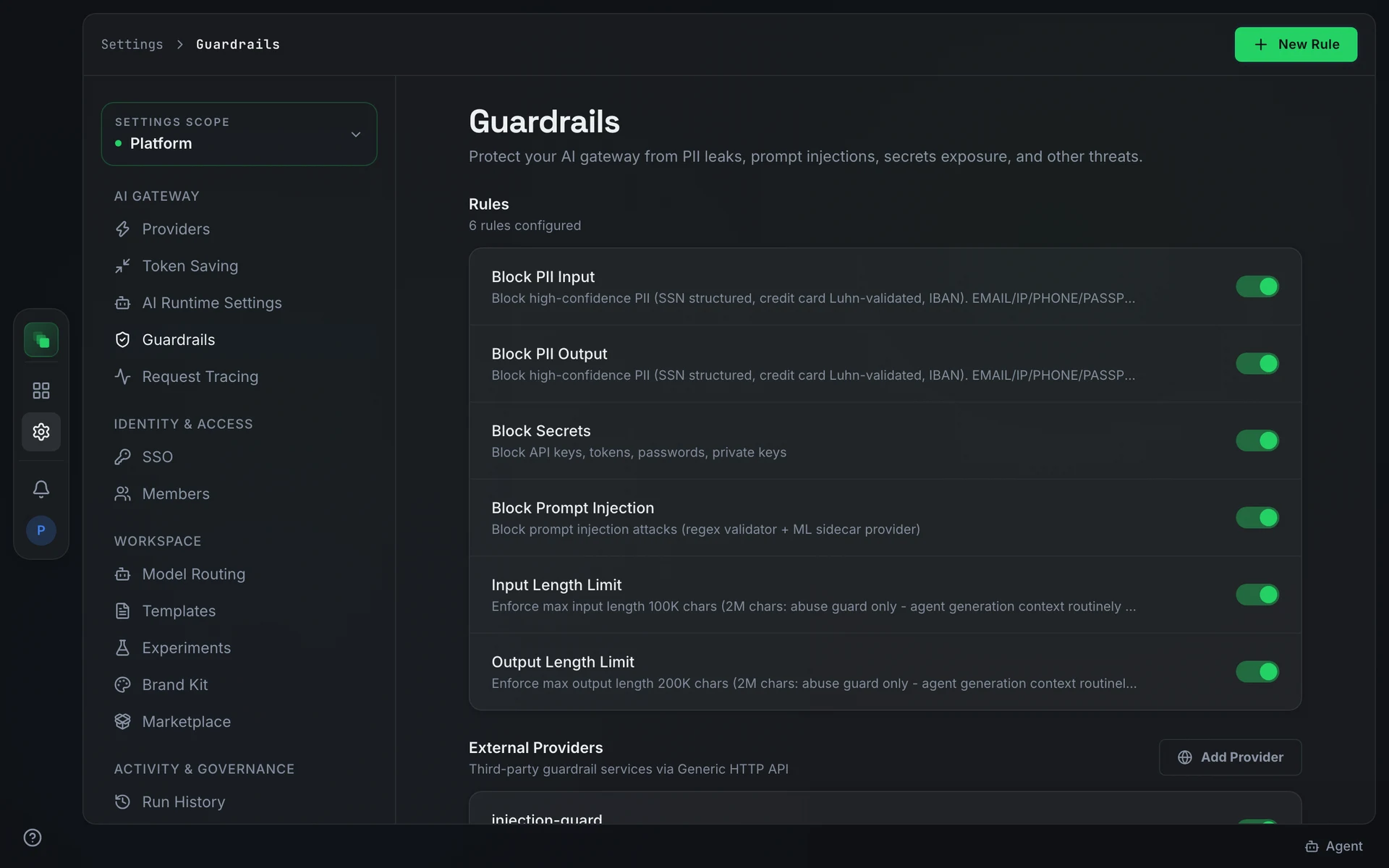
Add a guardrail rule
Open Settings → Guardrails ("Protect your AI gateway from PII leaks, prompt injections, secrets exposure, and other threats.").
The Rules section shows how many rules are currently configured. Press New Rule to add one. When no rules exist, the section shows "No guardrail rules" with a Create Rule prompt.
Deleting a rule is permanent. The confirmation reads: "This rule will be permanently removed. Requests will no longer be checked against it." Review active rules before removing any.
Connect an external provider
The External Providers section connects third-party guardrail services via Generic HTTP API. Press Add Provider to configure one.
Deleting an external provider opens a separate Delete External Provider confirmation dialog.
Ingestion screening
Guardrail rules screen traffic through the AI Gateway. A separate, optional screen covers documents entering the knowledge base from outside: tickets, chat threads, synced wiki pages, and meeting transcripts can carry prompt-injection text aimed at the agents that later read them.
Ingestion screening is off by default. To turn it on, deploy a screening service and set its URL in INJECTION_GUARD_URL; each external document is then posted to the service's /validate endpoint as it is pulled in.
Flagging does not block ingestion. A flagged document is stored with an injection flag and its score, and the knowledge quality check forces it to human review: flagged content is never auto-approved, a person must clear it.
The screen fails open. When the screening service is unreachable or returns an error, ingestion proceeds without a verdict.
Next steps
- Token Saving: compress prompts before they reach providers
- Request Tracing: inspect requests that passed or were blocked by guardrails
- Settings overview: how platform settings apply to projects