
Atlas assistant
The assistant is the panel embedded in every screen of Flezise. It answers questions immediately from live data, and when you ask it to act it escalates to a sandbox where it runs as you with your confirmation at every step.
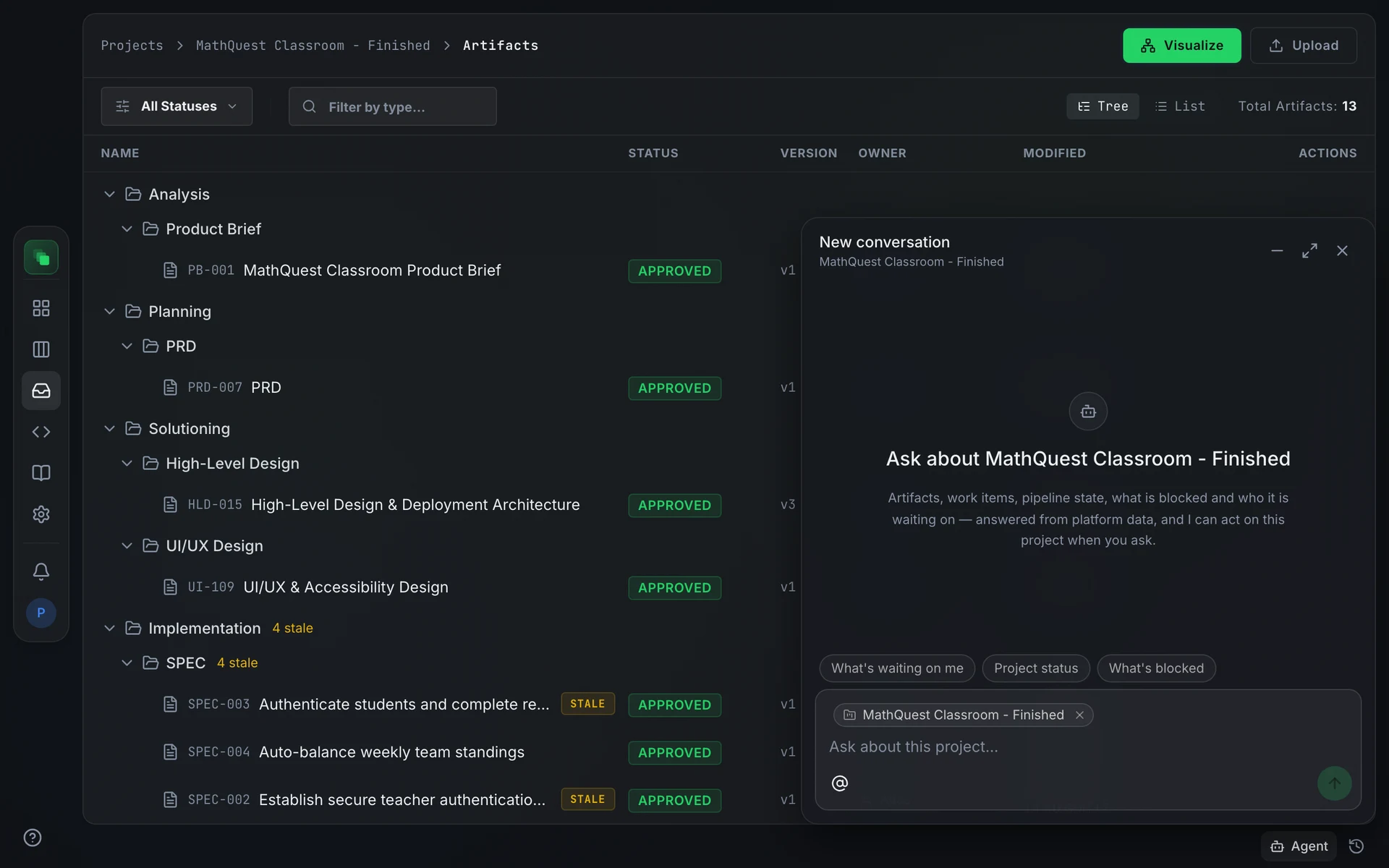
Open it
Press Agent at the right end of the bottom bar. The panel mounts once for the whole app and survives navigation: minimize it and a chip showing the conversation title stays in the bottom bar; press the chip or Agent again to restore it. The History button beside the launcher opens past conversations.
Panel controls: Minimize agent, Expand agent / Shrink agent, and Close agent.
What it can do
What the assistant offers depends on whether a project is pinned to the conversation. The greeting on an empty panel reflects this: inside a project it reads "Ask about [project]"; in platform scope it reads "How can I help?".
Producing a market-research or user-research document is not a chat action: generate it from the pipeline, where the generation runtime has governed web tools.
How it answers
The assistant does not always start a sandbox. Questions about status, blockers, the platform, and what is waiting on you are answered immediately from live data or the documentation, with no warm-up delay. Questions about what your project contains, such as what the app is for or what the PRD says, and requests to change something escalate to a sandbox, where the assistant reads your artifacts. A "setting up your environment" indicator appears while the sandbox boots. Before writing anything, the assistant confirms what it is about to do.
If a project has reached its sandbox capacity, the assistant reports that and cannot proceed with write tasks until capacity is available.
Quick prompts
An empty conversation shows one-click openers matched to your current context. In platform scope: What needs me, How the platform works, Start a project, What can you do. Inside a project: What's waiting on me, Project status, What's blocked. On an artifact page the prompts shift to Summarise, What's blocking it, What depends on it. On a work item they show Summarise, What's blocking it, Related artifacts. On a code file they show Explain, What uses it, Which artifacts cover it.
Why it asks first
Every write runs as the signed-in user. The assistant never submits a mutating action without showing you what it will do and waiting for your confirmation. That covers approvals, rejections, plan submissions, and every other write to the API. Approval gates on documents stay with people.
When an artifact already exists, the assistant prefers to propose: the change is staged for you to accept or reject on the artifact page. Direct creation is for new documents.
From the terminal
Inside a sandbox, agents use the same capabilities through swecli:
See the swecli reference.
Next steps
- Chat scope and context: pin a project or a specific resource to the conversation.
- Chat history: resume a past conversation.
- Pending actions: the nine things that can be waiting on you.
- Inbox: your notifications and how they differ from pending actions.
- Audited actions: how writes are recorded under your name.
- Atlas and Argus: the pipeline agents and model routing.
- Automations: set up a recurring agent run on a schedule by describing what you want.