
GitHub integration
The GitHub integration connects your repositories to Flezise so the builder agent can read source code, react to CI failures and pull request reviews, and open pull requests when work is done.
Connect
Open Project Settings → Integrations → GitHub. Click Connect to authorize via OAuth, or Connect with token to enter a Personal Access Token directly.
OAuth requests these scopes: repo, read:org, and workflow. The repo scope covers private repository access; workflow allows the integration to read and re-run GitHub Actions.
Token connect accepts one credential field:
Generate the token at GitHub → Settings → Developer settings → Personal access tokens. The token needs the repo and workflow scopes, plus admin:repo_hook so Flezise can register the events webhook for you.
Flezise registers the webhook when you link a repository (see Configuration). To register it by hand instead, copy the Webhook URL from the connection panel and add it under the repository's Settings → Webhooks, with content type application/json and the Signing Secret from the same panel as the secret.
Capabilities
Configuration
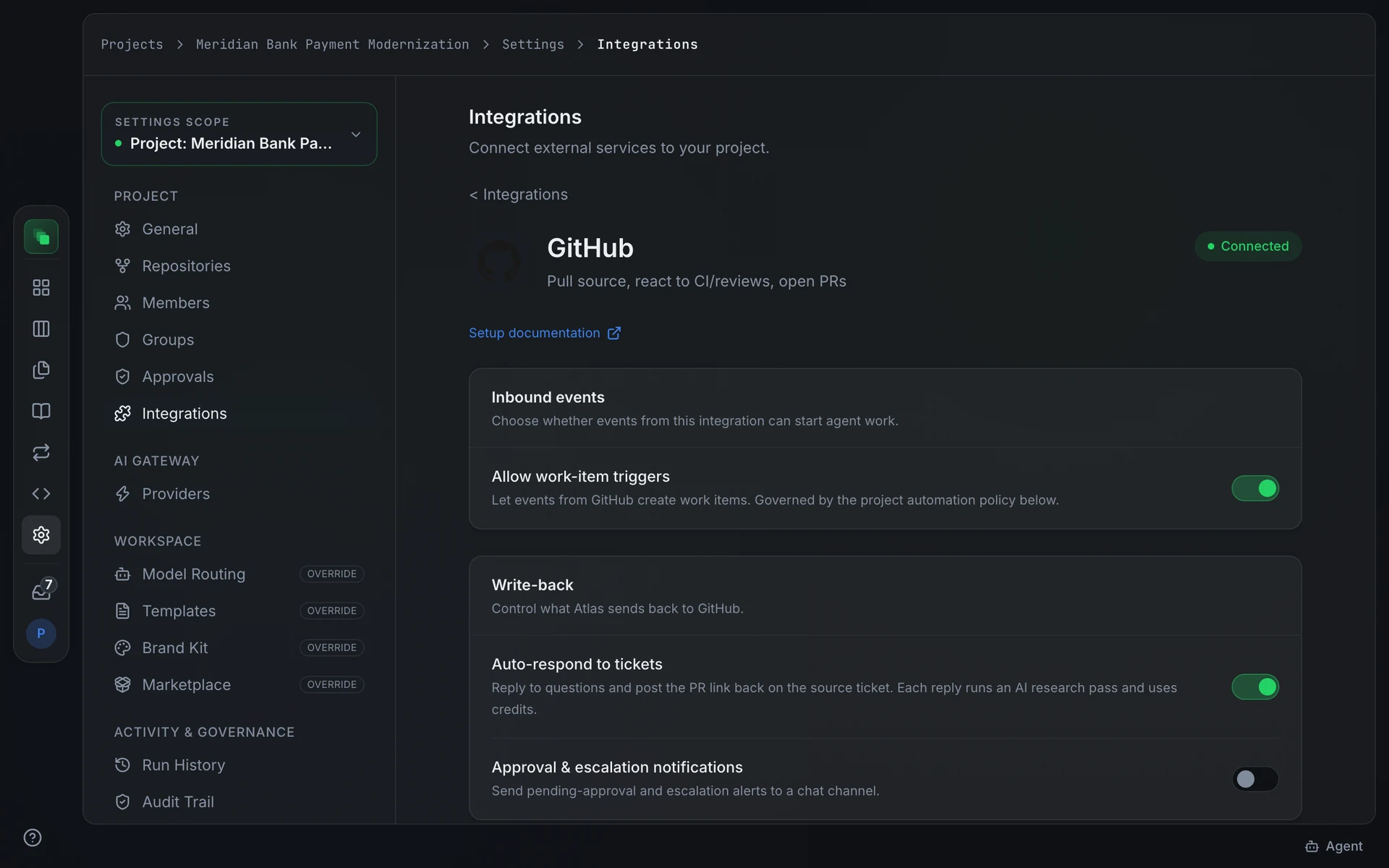
After connecting, enter the repository in owner/name format in the Source control card on the detail page and press Link repository. This saves the repository and links it in one step. The builder agent then uses that repository for cloning and pull requests without requiring a separate choice for each run.
Linking also creates the repository's events webhook, or refreshes it if one already points at this connection, for issues, issue comments, pull requests and check runs. The confirmation under the card says whether the webhook was created or updated. If the token cannot manage webhooks, the repository is still linked and the message says what the token is missing.
Events
GitHub sends four event types that Flezise classifies:
Flezise deduplicates deliveries using the x-github-delivery header. Each event is processed at most once.
Comments written by bots, such as Dependabot or a CI app, are not answered, and neither are the builder agent's own replies, so two bots cannot keep replying to each other. To answer a particular bot anyway, add its account (for example dependabot[bot]) to Bots to answer on the Write-back card, or enter * for every bot.
The Inbound events card on the detail page controls whether events from this connection can start agent work. Toggle Allow work-item triggers on to enable event-driven work items for this connection.
The issues.opened event syncs the issue as a work item only when the project automation policy allows the GitHub provider to create work items. Check Project Settings → Integrations → Automation policy if events arrive but no work items appear.
FAQ
The webhook shows a 401 response. What is wrong?
The signing secret does not match. Copy the Signing Secret from the Flezise connection panel and paste it into the Secret field of the GitHub webhook. The secret must match exactly, with no trailing whitespace.
No events arrive after I registered the webhook.
Link the repository again: it re-registers the webhook with the four event types. If you registered it by hand, check that Check runs, Pull requests, and Issues (which covers both issues and issue_comment events) are selected. GitHub does not send events for types not explicitly selected.
Next steps
- Integrations overview: how events become work items
- Work the board: manage the work items that CI failures and review requests create
- Runs: inspect the agent runs triggered by GitHub events