
Create a work item
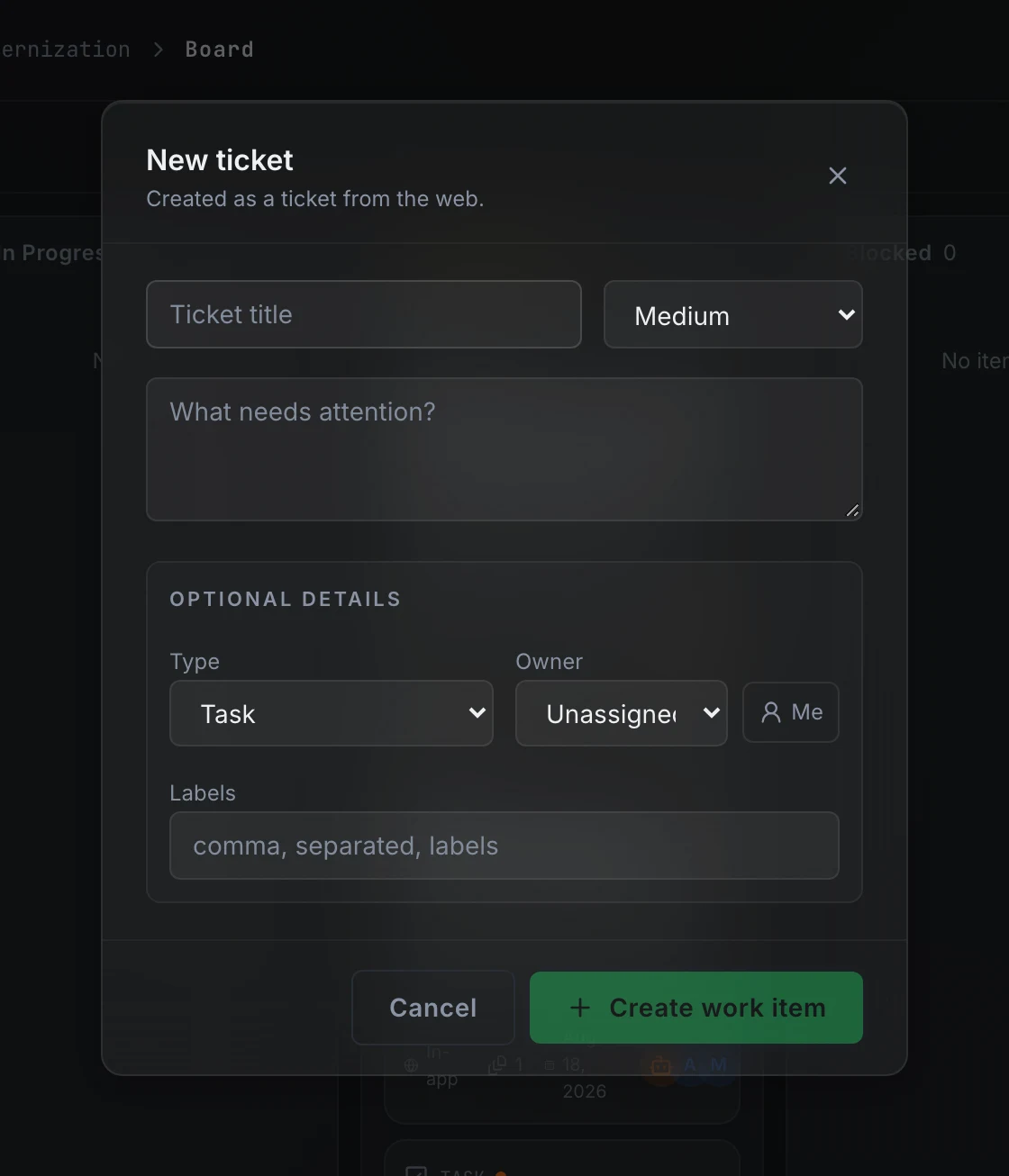
Press New work item on the board to open the New ticket dialog. A title and priority are required; the rest are optional.
Title and priority
Type a title that describes what needs to happen. The priority selector sits to the right of the title field and defaults to medium. Change it to low, high, or urgent before submitting.
Description
The textarea below the title accepts free text. Paste a stack trace, steps to reproduce, a user complaint, or anything the builder agent should read at triage. Leave it blank if the title is self-explanatory.
Optional details
The Optional details section expands below the description:
- Type defaults to task. Change it to bug, chore, or question to classify the work more precisely. Type appears on the card and is available as a board filter.
- Owner defaults to unassigned. Pick a project member from the list or press Me to assign yourself.
- Labels accepts a comma-separated list of tags. Labels appear on the card and are available as a board filter.
After you create
Press Create work item. The item lands in Intake on the board with a new WI-nnn display ID. The builder agent picks it up for triage shortly after and produces a classification, a severity estimate, and a summary from the title and description you provided.
Read more on work item states to see what happens next.
FAQ
Why does the dialog say "New ticket" when the button says "New work item"?
The board button is labeled New work item and the dialog title reads New ticket. Both refer to the same object. Work item is the term used everywhere else in the product.
Can I create work items without opening the board?
Integration events, the repository scan, and approved specs create work items automatically. To create one manually without the board, use swecli work-item create --project <slug> --title "…".