
Integrations
Integrations connect Flezise to the tools your team already uses. When an inbound event arrives from a Jira assignment, a GitHub CI failure, or a Slack mention, Flezise can create a work item and start agent triage. Knowledge integrations ingest documents from Confluence or Notion into the project knowledge base. Source control integrations let agents pull the repository and open pull requests once work is done.
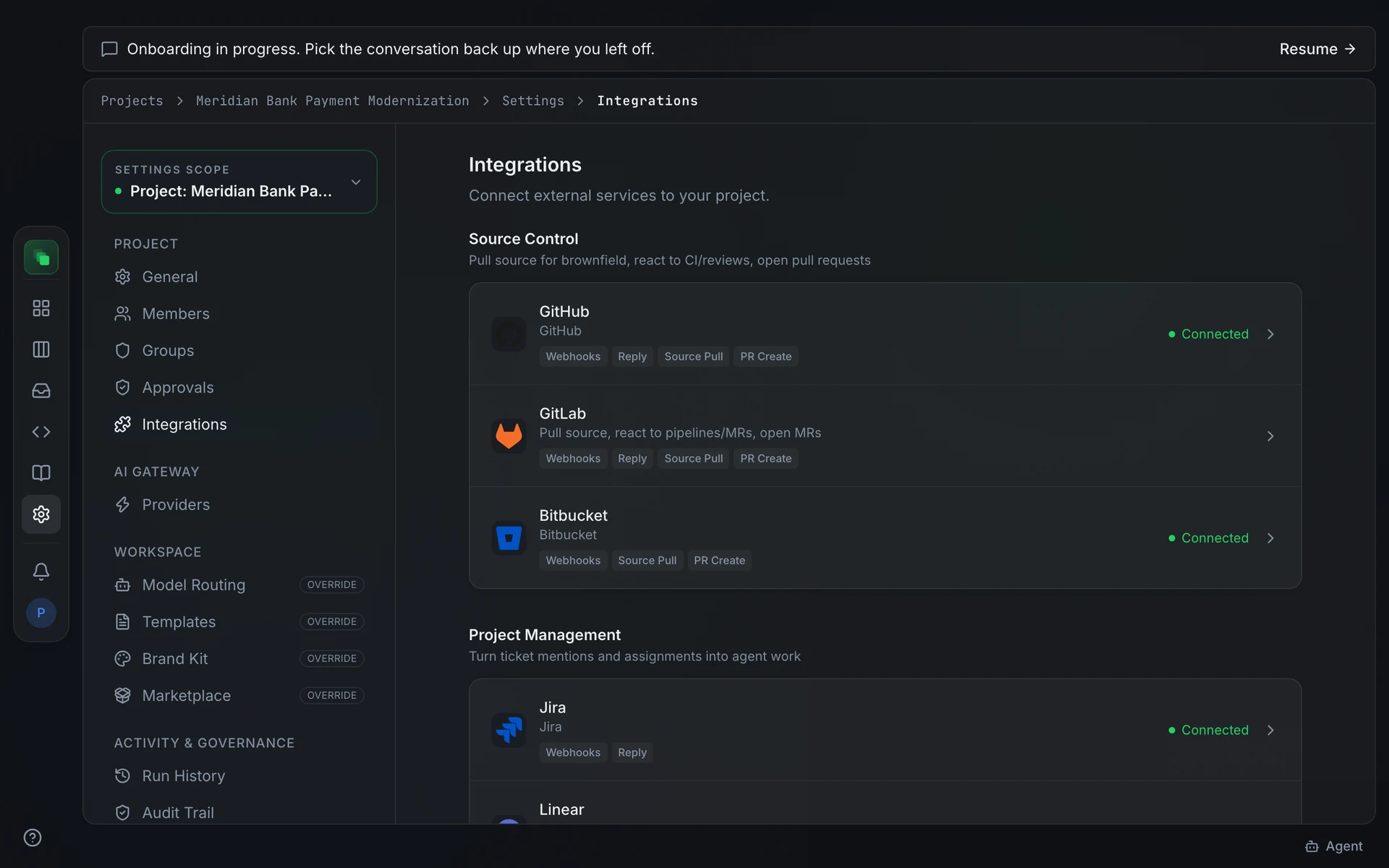
Open Project Settings → Integrations to see the full catalog. Each provider card shows what the connection can do and whether it is already connected.
Source Control
Pull source for brownfield work, react to CI failures and review requests, and open pull requests when work is done.
Project Management
Turn ticket mentions and assignments into agent work items.
Chat
Receive @mentions, answer in-thread, and accept tasks from conversations.
Knowledge
Sync organization and project documentation into the knowledge base.
Productivity
Pull documents and meeting records from your Microsoft 365 tenant.
Meetings
Capture transcripts and live captions from your meetings.
Capability chips
Each provider card displays small chips that describe what the connection can do: Webhooks, Reply, Knowledge Sync, Source Pull, PR Create, Meeting Ingest, and Live Capture. See Capabilities for what each chip means and which providers carry it.
Connected status and plan gating
When a connection is active, the provider row shows a green Connected badge. Providers not available on your plan show a lock icon and a tooltip explaining the requirement. Microsoft Teams, Microsoft 365, and Meeting Capture each require a feature flag enabled on your installation.
Next steps
- Connect an integration: set up OAuth or token credentials for a provider
- Capabilities: what each capability chip means
- Automation: control when inbound events become work items
- Meeting Capture: stream live meeting captions into Flezise