For AI agents: the complete documentation index is available at https://docs.flezise.com/llms.txt, the full documentation bundle is available at https://docs.flezise.com/llms-full.txt, and this page is available as Markdown at https://docs.flezise.com/administration/settings-overview.md.

Settings overview

Settings in Flezise has two scopes. Platform settings apply organization-wide and become the inherited default for every project. Project settings inherit them and can override individual tabs for one project only.

Note

Read this if you administer the platform or need to know what settings exist before configuring them.
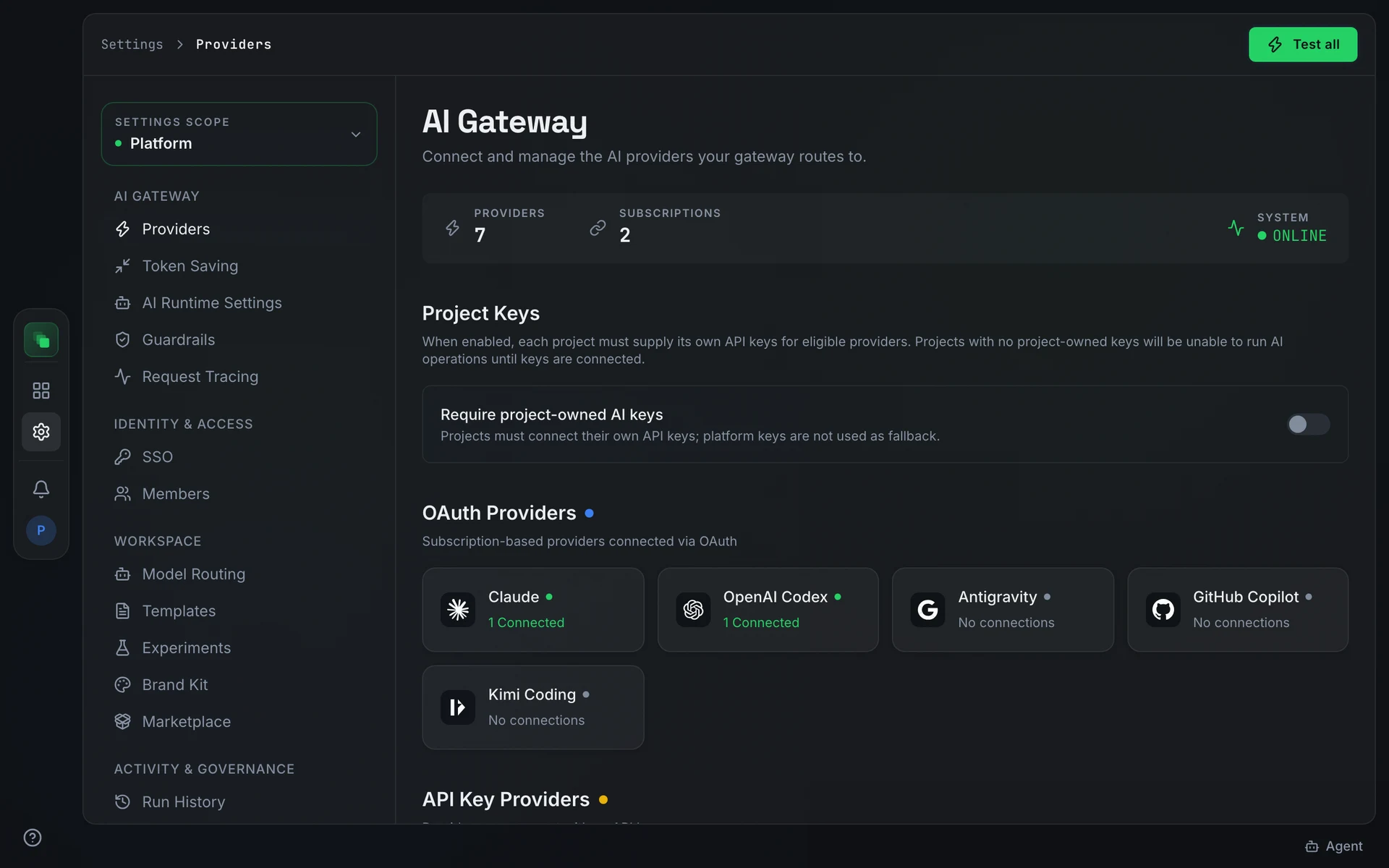
Platform Settings open on the Providers tab, with the section navigation on the left showing AI Gateway, Identity & access, Workspace, Activity & governance, and Analytics

Scope switcher

The Settings scope selector sits above the navigation list. Platform shows organization-wide configuration. Project: <name> switches to a single project; tabs that carry a project-level override show an override pill in the sidebar. Tabs not included in your plan stay in the navigation with a lock icon; hovering shows the reason.

Platform sections
SectionTabSubtitle
AI GatewayProvidersConnect and manage the AI providers your gateway routes to.
Token SavingCompress prompt text inside the gateway before it reaches providers.
AI Runtime SettingsConfigure platform-wide supporting AI settings.
GuardrailsProtect your AI gateway from PII leaks, prompt injections, secrets exposure, and other threats.
Request TracingMonitor and inspect AI gateway requests, response times, token usage, and costs.
Identity & accessSSOConfigure Single Sign-On to authenticate users through your identity provider.
MembersManage human access, invitations, and platform roles.
WorkspaceModel RoutingChoose which AI model handles each type of work.
TemplatesEdit the artifact templates used in each phase.
ExperimentsRuntime experiment flags. Changes apply to new generations without a restart and affect every project.
Brand KitManage logos, colors, fonts, images, and videos inherited by project generation.
MarketplaceManage platform pack defaults and project-specific subscription overrides.
Activity & governanceRun HistoryAI generation run history across every project in the organization.
Audit TrailOrganization-wide audit activity across all projects.
AnalyticsCostTotal AI spend across the whole organization.
UsageToken consumption and activity across every project.
ProductivityDelivery throughput and flow health across the organization.
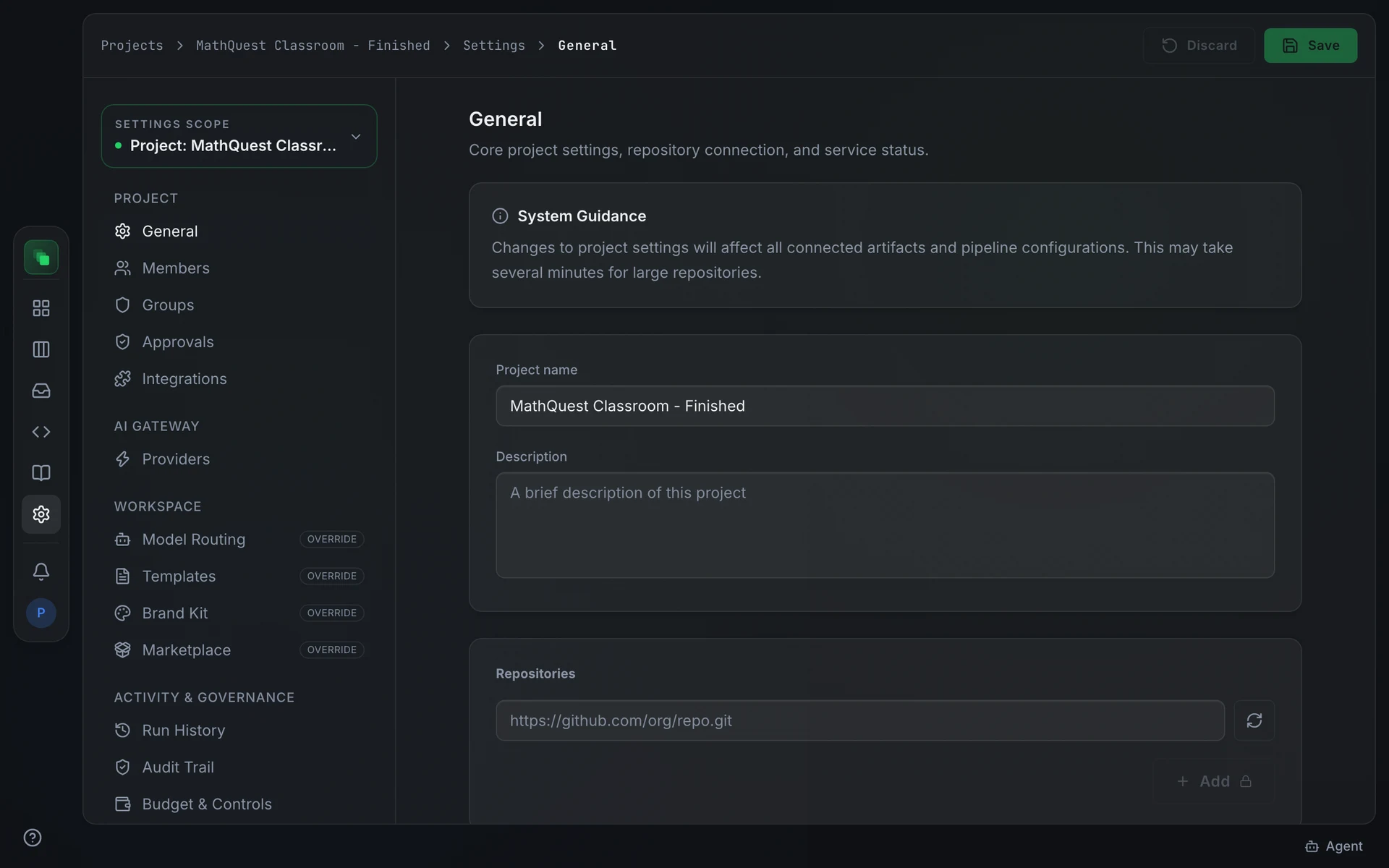
Project Settings open on General, showing Core project settings, repository connection, and service status

Project sections

Project settings mirror most platform sections. The Project section adds tabs specific to a project: General ("Core project settings, repository connection, and service status."), Members, Groups, Approvals, Integrations, and Budget & Controls ("Set monthly spend and token budgets, alert thresholds, and automation cost caps."). The Workspace and AI Gateway tabs work as project-level overrides of the platform defaults.

Roles and groups

Platform access uses two roles: Member and Administrator. Either can carry the Can create projects checkbox; when enabled, new projects automatically add that person as Project Admin. Five groups are seeded automatically:

GroupScopeDescription
MemberPlatformPlatform member without global project access
Member with project creationPlatformPlatform member allowed to create projects
Platform AdminPlatformFull access to platform settings, SSO, and all projects
Project AdminProjectFull access to project settings including deletion
Project MemberProjectCreate and manage artifacts, query knowledge base, upload documents

Project groups control only project-scoped permissions. Assigning a platform-wide bit (such as Manage Providers or SSO access) to a project group raises an error: "Platform-wide permissions cannot be granted to a group."

Permission categories

Permission bits are grouped into display categories in the UI: Artifacts (including Submit for Review and Approve / Reject), Members (Invite, Manage Roles), AI Gateway (Manage Providers), and further categories covering Projects, Knowledge, Pipeline, Repository, Integrations, and Settings.

Next steps