
Knowledge base
The knowledge base is the searchable store of project documentation. Open it from Knowledge Base in the project sidebar. The screen has three regions: an interactive graph, a search panel, and a document viewer that slides in on demand.
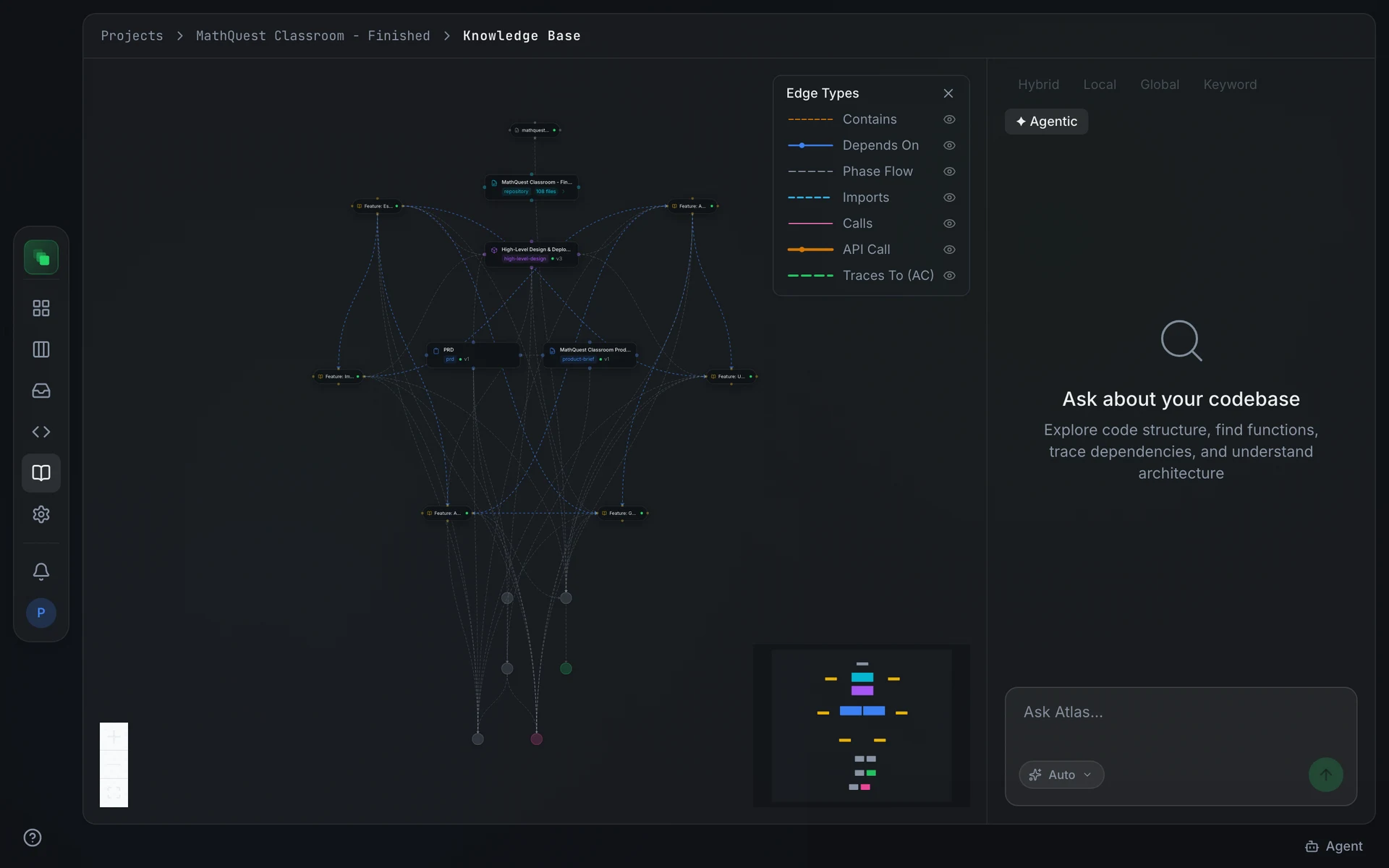
The knowledge graph
The graph shows every indexed document as a node. Clusters form around artifact types and the repository modules. Click a node to open that document in the viewer. On mobile the graph is replaced by a floating Ask Atlas button that opens a chat overlay.
The search panel
The search panel sits beside the graph on wider screens. ✦ Agentic mode is on by default. In agentic mode the input reads Ask Atlas... and Atlas investigates your question using semantic search, code browsing, and artifact lookup. Switch the toggle off to use one of the four search modes directly; the input changes to Search approved artifacts...
See Searching the knowledge base for the full mode reference and retrieval mechanics.
The document viewer
Clicking a graph node slides the document viewer in over the right two-thirds of the screen. The left portion dims and acts as a close target. Press X or click the dimmed area to close the viewer and return to the graph.
What is indexed
Three kinds of content appear in the knowledge base.
Approved and locked artifacts. Every artifact whose status reaches approved or locked is indexed. Drafts and in-review versions are never indexed. The workflow-design artifact type is excluded regardless of status.
Uploaded documents. Files uploaded through the artifact list or attached in Atlas chat are indexed immediately, without an approval step. Accepted formats include PDF, Word, Excel, PowerPoint, Markdown, text, CSV, and common image formats.
As-is pages. When a repository scan produces reverse-engineered baseline pages, those artifacts move through the standard approval flow. Once approved, they join the knowledge base alongside authored artifacts.
How Atlas uses the knowledge base
When Atlas researches a topic it starts with the project's knowledge base. Inside the project you can ask directly using the ✦ Agentic panel. Agents with terminal access retrieve the same content with swecli platform search and assemble it into a context pack before a generation run.