
Work items
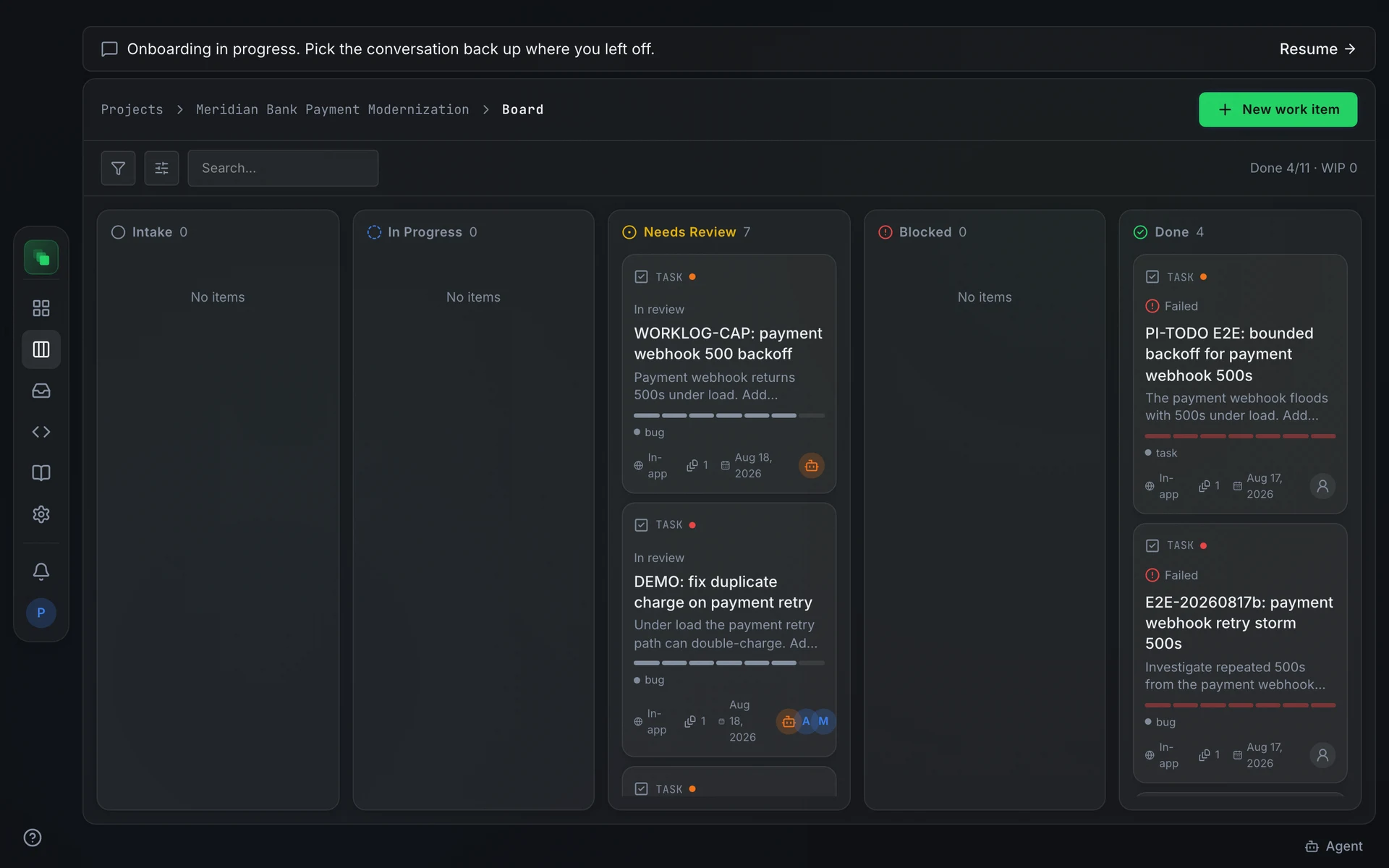
A work item is a task for an agent or a person. It carries a title, a type, a priority, and moves through a lifecycle from intake to done. The board is the day-to-day view of all work items in a project.
Display IDs
Every work item gets a display ID such as WI-042 the moment it is created. The number comes from a per-project counter, reserved atomically so two concurrent creates never share one. Numbers are never reused. A create that rolls back leaves a gap in the sequence, and gaps are expected.
You can open a work item by its WI-nnn key in any URL or CLI command without knowing its internal UUID. The API resolves the key to the underlying ID automatically.
Where work items come from
Four paths create work items:
- Board ticket. Press New work item on the board, fill in a title and priority, and the item lands in Intake.
- Integration event. A webhook from Jira, Linear, Slack, or another connected provider creates an item automatically when the integration is active. The external ticket's identifier becomes a dedupe key, so the same event does not open two items.
- Repository scan. The codebase scanner raises items for tech-debt markers it finds in the repository. These arrive with the label
tech-debtand a low priority. - Approved spec. When a spec artifact is approved, the pipeline creates an
implementationwork item automatically. Its title is set toImplement <artifact key>: <artifact title>.
Plans
Before an agent acts on a work item, it writes a plan: an ordered list of steps it intends to follow. A person approves that plan before execution begins. Rejecting a plan sends the item back to planning for a revised version.
When a project's approval policy does not require a manual gate, submitting a plan approves it immediately and execution begins without any action from you.
Read more on plans.
Runs
Each time an approved plan is dispatched, one or more runs record what happened: the branch and commit produced, the files changed, and whether execution succeeded or failed. Open a work item's detail page to see the run history and the evidence the agent left.
Read more on runs.
FAQ
Why are there gaps in the WI-nnn sequence?
A create that reserves a number and then rolls back leaves a permanent gap. The counter is atomic and numbers are never reused, so a gap does not indicate lost data.
What is the difference between a work item type and an artifact type?
Work item types (task, bug, chore, question) classify the nature of the task for routing and display. Artifact types (PRD, design spec, test plan) classify versioned documents in the delivery pipeline. A work item can link to an artifact but is a separate object.