
Model routing
Model Routing maps each type of AI work to a specific model and an optional reasoning variant. Platform assignments apply to every project. A project can save its own routing to override the platform defaults.
Read this if you administer the platform or a project's AI configuration. Changing platform routing needs the Manage Providers permission.
Assign models to work types
Open Settings → Model Routing ("Choose which AI model handles each type of work.").
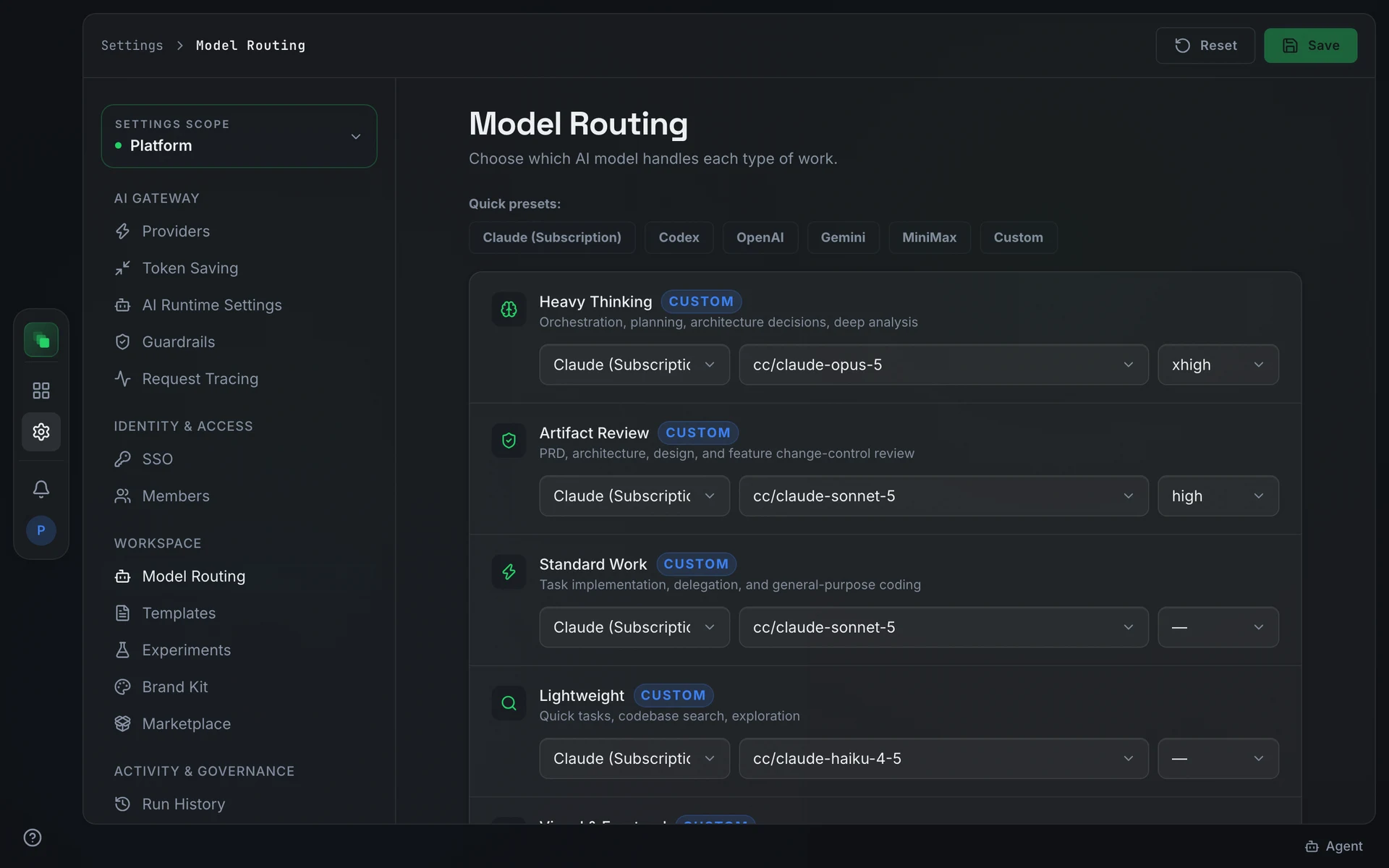
Nine roles each map to a work type, a default model, and an optional reasoning variant:
Artifact Review runs every reviewer in an artifact review, at its variant. Only the step that rewrites the sections a review flagged runs on Standard Work.
The model field is searchable. For a provider with a long catalog, such as OpenRouter, it opens on that role's top 30 models by OpenRouter's benchmark rank (Design Arena for Visual & Frontend and Multimodal), and typing searches the rest. Image Generation and Video Generation list only models that can generate that output through the gateway.
The in-app assistant's model is not a work-type route; set it under AI Runtime Settings.
Press Save to apply. Reset appears only when the routing differs from its baseline and returns every role to its default.
Choose the decision model
When System One decision model is on under Experiments, platform Model Routing shows one more row, Decision. Projects use the platform's choice and have no Decision row of their own.
The provider is one of two:
- TypeSafe: calls TypeSafe directly with the API key your operator set on the backend. If your operator pointed the platform at a self-hosted decision model instead, this option shows that host.
- OpenRouter: uses the OpenRouter key you connected under AI providers, so no second key is needed. The model list shows every decision model OpenRouter offers, such as
~typesafe/jev-latestand Cloudflare's Clef. The option reads OpenRouter (not connected) until OpenRouter is connected.
Pick a model and press Save. Reset returns the row to TypeSafe and jev-latest. If a provider can't list its models, for example because its API key is missing, the list shows only the current model.
Override at project scope
Open a project's Settings → Model Routing to see the platform assignments. Changes saved there apply to that project only and do not affect other projects or the platform defaults.
Reset appears once a project has saved its own routing. Pressing it clears the project override and returns to the platform assignments.
Next steps
- AI providers: connect the providers that supply these models
- AI Runtime Settings: configure the chat model and the supporting models for knowledge and voice
- Settings overview: how platform and project settings inherit