
Projects
A project is one piece of software and everything Flezise knows about it: the documents that describe what to build, the people who sign them off, and the work items agents execute. Every artifact, every work item, and every run belongs to exactly one project.
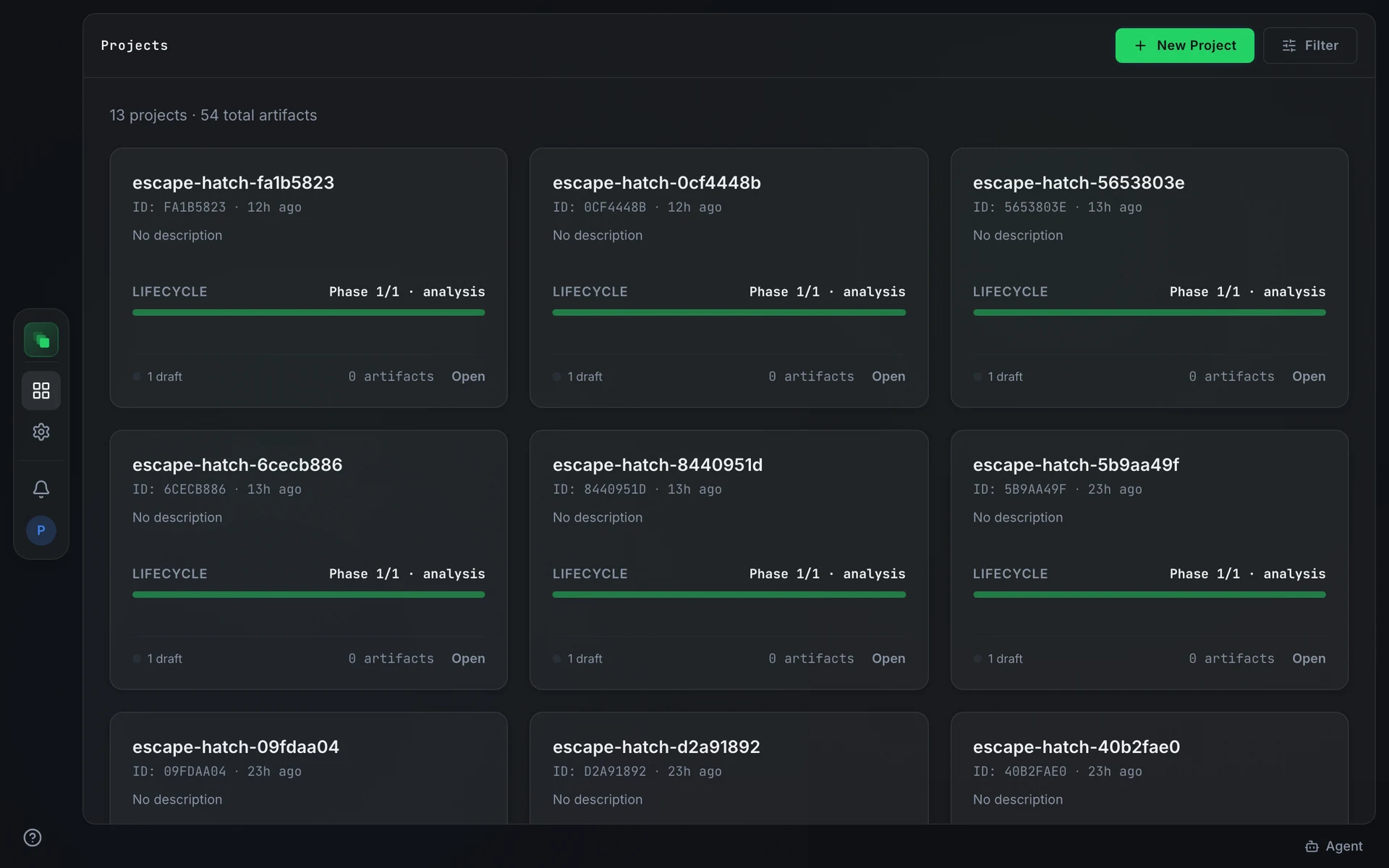
The project home
Opening a project takes you to its home. The home shows a Getting started card until the product brief is created. The heading and call to action on the card reflect where you are:
- A project that has not yet been set up shows Set up this project with Atlas and a Start onboarding button.
- An interview already in progress shows Continue setting up [project name] and a Continue onboarding button.
- A project started from an existing codebase or system shows Tell Atlas about your existing system and a Describe your existing system button.
Once the product brief is created, the home switches to the Kanban board. That switch does not reverse.
Skip for now, browse artifacts at the bottom of the card navigates to Artifacts without finishing the interview. Onboarding stays available from the home until the product brief is created.
Lifecycle phases
Artifacts sit in a delivery sequence:
- analysis
- planning
- solutioning
- implementation
- testing
- deployment
A blueprint can add phases of its own. The footer of each project card shows how many artifacts are approved, in review, or in draft across all phases, and the total artifact count.
Each card also shows the last-activity timestamp in the header and, below the description, either the number of items waiting on you (in amber when non-zero) or the most recent activity with the actor who performed it.
Artifacts and work items
Artifacts are the versioned documents a project produces and approves: the product brief, the PRD, designs, specs, and anything you upload. Each artifact has a type, a phase, and a status. Approved artifacts feed the knowledge base and unlock downstream generation.
Work items are tasks for an agent or a person. They come from integrations, board tickets, the repository scan, or the pipeline when a spec is approved.
Read more on artifacts and the board.
FAQ
Can I rename a project after it is created?
Yes. Open Settings → General, update Project name, and press Save. The slug is fixed at creation and cannot be changed.
Can I archive a project?
No. Flezise has no archive. A project can only be deleted, which permanently removes all its artifacts, reviews, and work items.
Does creating a project start the pipeline immediately?
No. The pipeline runs after the product brief is approved. Until then, the home shows the Getting started card and no artifacts are generated.