
Run history
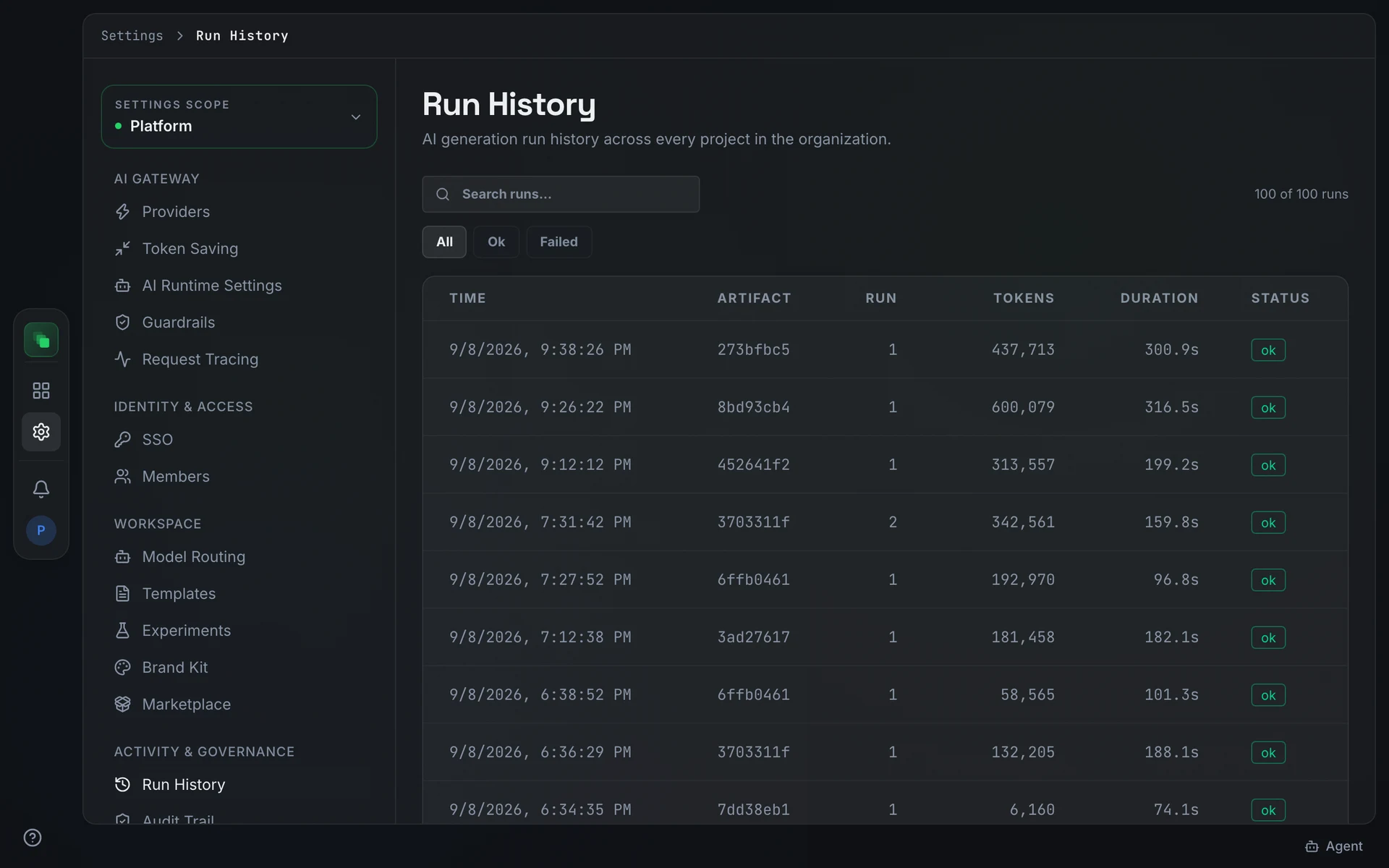
Run history is the org-wide list of every AI generation run dispatched across every project in the organization. Open it at Settings → Run History to see which runs succeeded, which failed, and how each one performed by tokens and duration.
Filters and search
Three pills at the top of the table narrow the view by outcome: all shows every run, ok limits the view to runs that completed without error, and failed isolates runs that returned an error type. Only one pill is active at a time.
Type in Search runs... to filter visible rows without a server round trip. The search matches against artifact ID, run number, status string, and timestamp. A counter at the right of the toolbar shows how many rows are visible out of the total loaded.
The run table
Rows are sorted newest first. A new organization shows "No generation runs recorded yet." When a filter or search term produces no matches, the table shows "No runs match your filters."
Next steps
- Audit trail: the hash-chained event log behind each run, recording every action from dispatch through outcome
- Cost analytics: spend and token totals that aggregate these runs by project and model
- Runs: the project-level view with dispatch timeline, trigger, and task details per run