
AI runtime settings
AI Runtime Settings controls the supporting models the platform uses for knowledge indexing, generation, the in-app assistant, and voice input. These settings apply platform-wide. Projects inherit them and cannot override them individually.
Read this if you administer the platform AI configuration. Changing these settings needs the Manage Providers permission.
Configure supporting models
Open Settings → AI Runtime Settings ("Configure platform-wide supporting AI settings.").
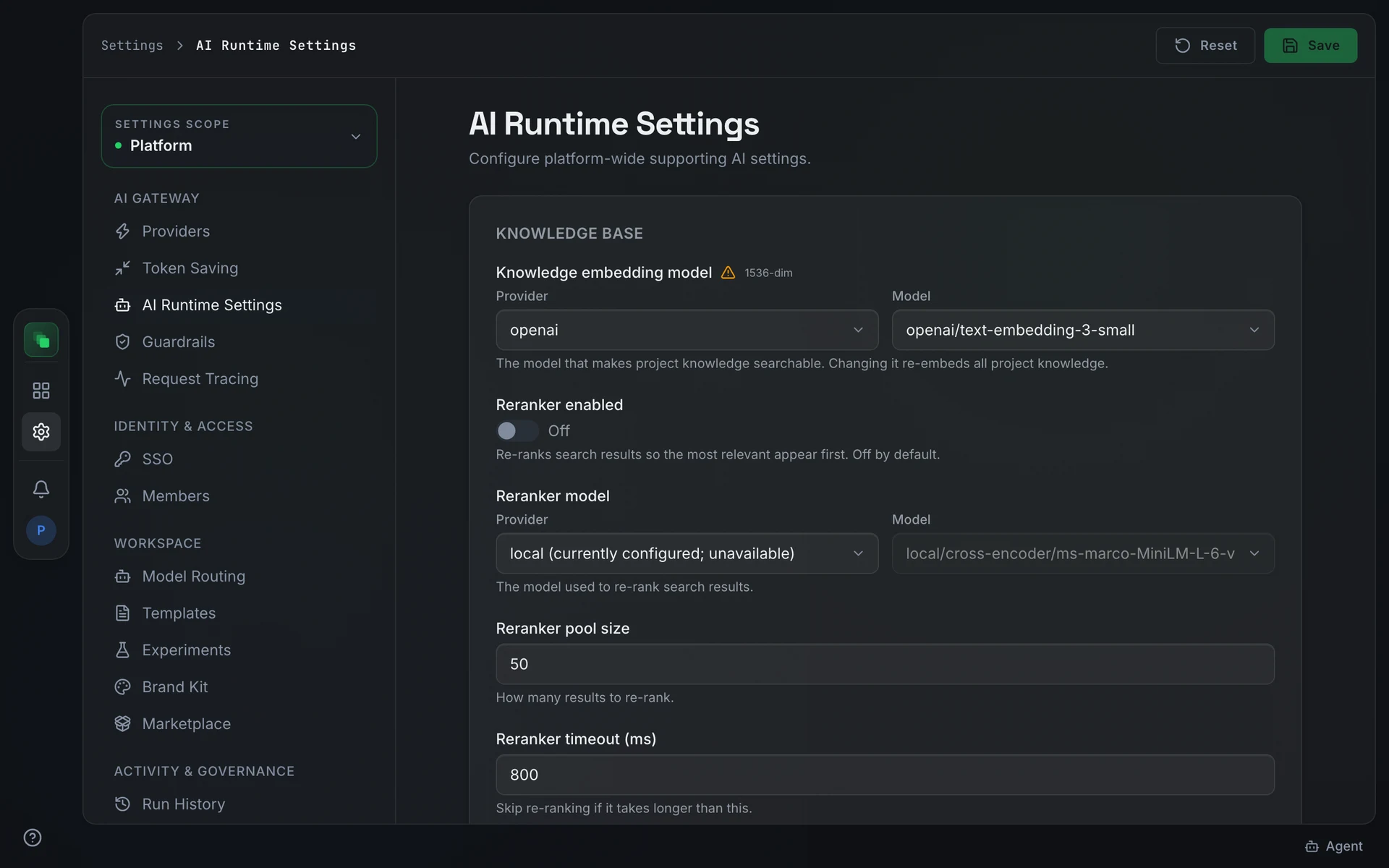
Knobs group into sections: Knowledge Base, Generation & Q&A, and Experiments. The knowledge embedding model has a Provider and a searchable Model selector limited to embedding models from the gateway's connected providers. Other model fields take a typed id: the reranker model uses its own local/, hosted/, voyage/, or cohere/ prefix, and the experiment model lists are comma-separated.
If providers cannot be reached, the page shows "Configured gateway providers could not load…". If the gateway lists no models, it shows "No configured gateway providers expose models. Connect a provider in AI Gateway before changing model settings."
Change the knowledge-base embedding model
Changing the Knowledge Base embedding model triggers a full re-index of all stored knowledge. Before the change takes effect, you must confirm by typing REEMBED ALL in the confirmation dialog.
Re-embedding runs as a background job. Knowledge search returns results from the previous index until the job completes.
Choose the chat model
The Chat section sets the model and thinking level for the in-app assistant in platform and project chat. Until you set one, chat uses the Standard Work model from Model Routing.
Speech and voice settings
The Voice Input section sets the speech-to-text provider and model used for voice input across the platform: your browser, OpenAI, Groq, Gemini, ElevenLabs, OpenRouter, or a self-hosted server. The model field suggests the speech-to-text models the gateway lists for the chosen provider; for OpenRouter, type the model id, such as openai/whisper-large-v3. Test connection sends a short silent clip through the saved settings.
Next steps
- AI providers: connect the providers that appear in the selectors above
- Model Routing: assign models to each type of project work
- Settings overview: how platform settings propagate to projects