
Linear integration
The Linear integration connects your Linear workspace to Flezise so that assigning an issue to the platform agent or @mentioning it in a comment creates a work item and posts a reply back in Linear.
Connect
Open Project Settings → Integrations → Linear. Click Connect to authorize via OAuth, or Connect with token to enter an API key directly.
OAuth requests these scopes: read, write, issues:create, app:assignable, and app:mentionable. The app:assignable scope lets the Linear workspace assign issues to the Flezise app actor; app:mentionable allows @mentions in comments to reach the platform. Linear OAuth installs the app with the actor=app parameter so the agent identity is the app itself.
Token connect accepts one credential field:
Generate the key at Linear → Settings → API → Personal API keys.
Linear uses a single app-level webhook for all workspaces. You do not register a per-connection webhook URL; the platform handles routing by workspace ID.
Capabilities
Configuration
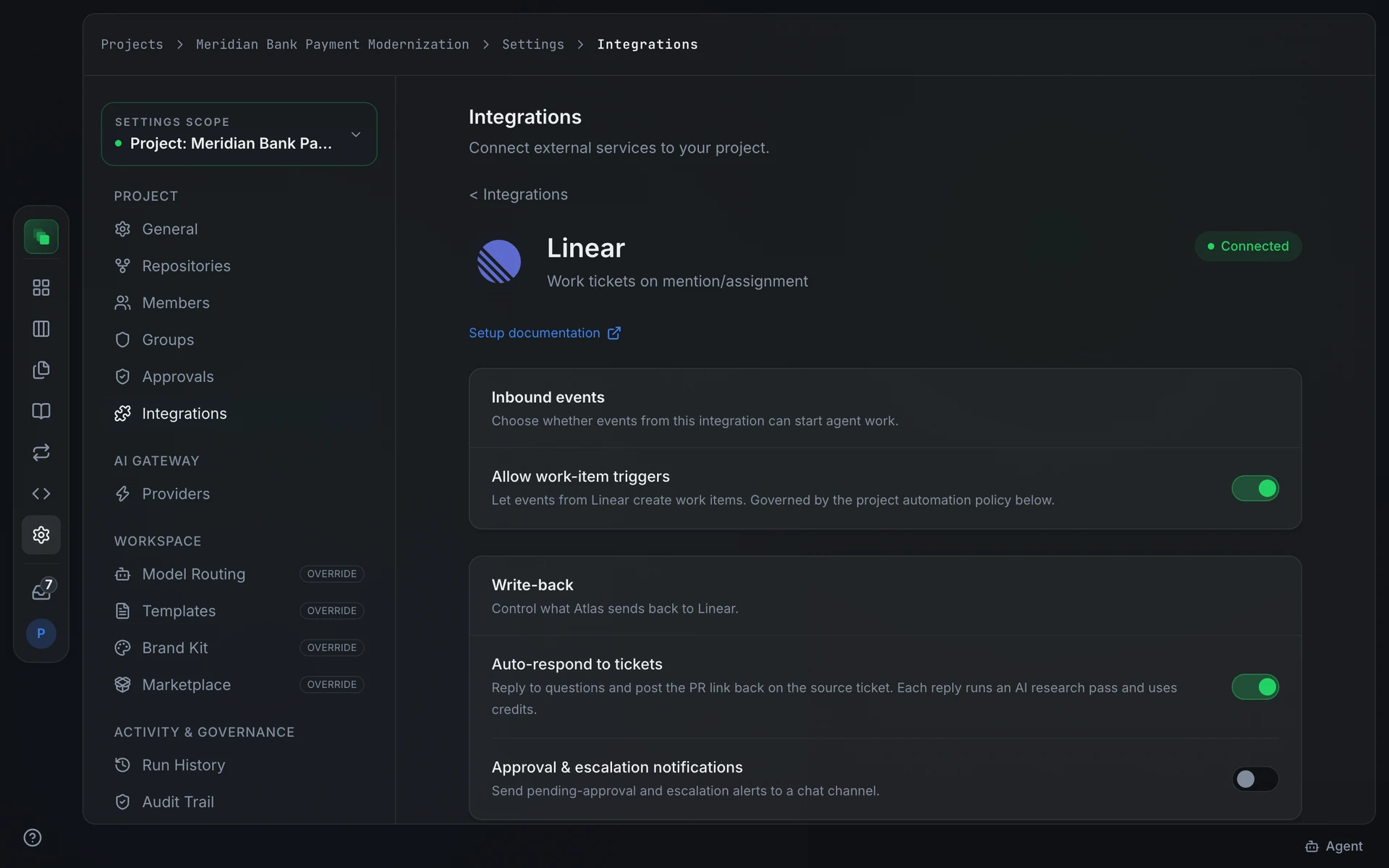
Linear has no additional config fields. After connecting, enable Inbound events on the detail page. Optionally enable the Auto-respond to tickets write-back toggle so the platform agent posts an acknowledgement when it picks up an issue.
Events
Flezise classifies Linear events as follows:
Linear supports agent delegation: an issue can stay assigned to a human while a delegateId attaches the platform agent. The classifier checks both the assigneeId and delegateId fields to detect whether the update targets the platform agent.
Comments are checked for an @mention of the agent and for language that signals a work request versus a question.
Flezise deduplicates deliveries using the linear-delivery header. Each event is signed with HMAC-SHA256 in the linear-signature header.
Linear routes all workspace events through one app-level URL. One connection per project suffices; connecting the same Linear workspace to multiple projects delivers each event to all matching projects.
The Inbound events card on the detail page controls whether events from this connection can start agent work. Toggle Allow work-item triggers on to enable event-driven work items.
FAQ
I assigned an issue to the app but no work item appeared.
Check that the Allow work-item triggers toggle is on for this connection and that the automation policy permits Linear. The classifier only creates a work item when the assignee or delegate ID matches the platform agent's identity captured at OAuth time. Token-connected integrations may not have a captured agent identity; use OAuth to ensure the identity is recorded.
Do I need to register a webhook URL in Linear?
No. The OAuth flow installs an app-level webhook automatically. Token connections rely on Linear's API key and do not require manual webhook registration.
Next steps
- Integrations overview: how events become work items
- Work the board: manage the work items that issue assignments create
- Runs: inspect the agent runs triggered by Linear events