
Create a project
A project is where Flezise keeps everything about one piece of software. Create one from the Projects page when you know you want a project, or start at /onboarding when you already have an idea or a codebase in mind.
Prerequisites
- An account on a Flezise deployment with a model provider configured (First-time setup).
- The Can create projects permission on your membership, or the Administrator role.
From the Projects page
Press New Project on the Projects page. The dialog asks for a name and nothing else that you need to decide now.
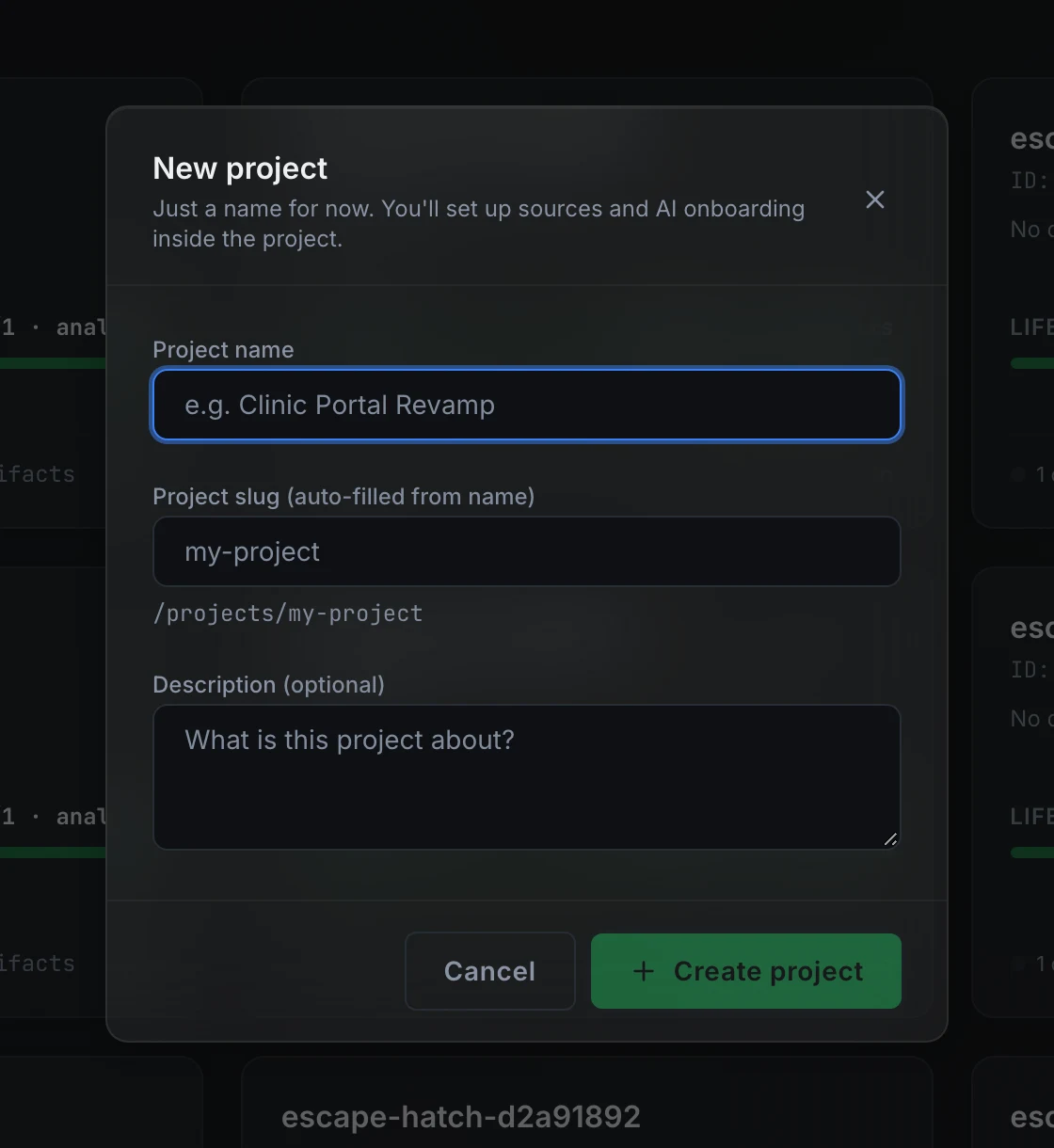
Project name is required. The Project slug is filled in from the name as you type; the slug is what appears in every URL for this project (/projects/my-slug/...). If you want a different slug, edit the field directly. When the slug you type is already taken, the dialog shows the reason and offers suggestions you can click to apply.
Description is optional. Press Create project to open the new project.
From the onboarding wizard
Go to /onboarding when you have a goal, a codebase, or a system you want to describe before the project structure is decided. The first question is what you are starting from:
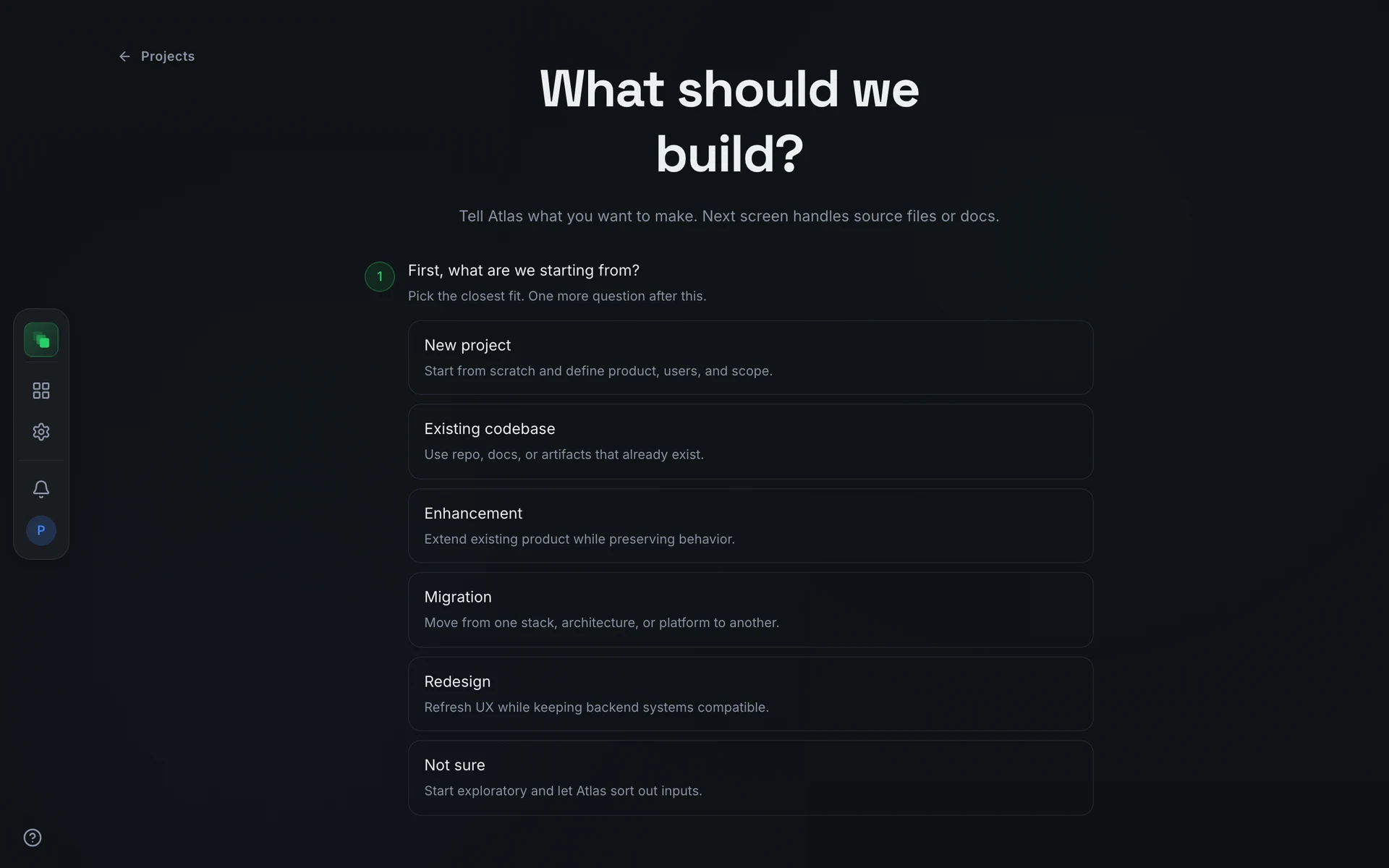
The project is created around your answers. The intake interview describes what happens next for a greenfield or exploratory start. Import a codebase covers the Existing codebase path.
FAQ
Can I skip the interview and upload a brief I already have?
Yes. From the Getting started card, press Skip for now, browse artifacts, then Upload on the Artifacts page. PDF, Word, Markdown, images, Excel, and PowerPoint are accepted. An uploaded brief still goes through the normal review-and-approve flow before the pipeline can run.
Can I start the pipeline before the brief is approved?
No. The workflow design is only generated once the product brief is approved, and each later document generates only after the documents it depends on are approved.