
Notion
Notion connects Flezise to your workspace pages and databases so the knowledge base reflects your team's documentation. Notion is a pull-only integration: the platform reads from Notion but does not post back, and Notion does not deliver inbound webhooks.
Connect
Go to Project Settings → Integrations → Notion. If OAuth is available on your deployment, press Connect to open the authorization popup. Notion's permission model is page-based: during the popup you select which pages and databases to share with Flezise. There are no declared scopes; access is limited to exactly the content you select during authorization.
If OAuth is not available, press Connect with token and enter the credential:
After a successful credential test, a Database ID field appears. Enter a Notion database ID to scope the sync to that database. Leave it blank to sync all pages and databases the integration can access.
For a token-based connection, the integration must be added to each Notion page or database it should read. Open the page, press ... (more options), go to Connections, and add the integration.
Capabilities
Notion has no webhook capability. The platform never receives push events from Notion; all document updates are discovered during the next scheduled or manual sync.
Configuration
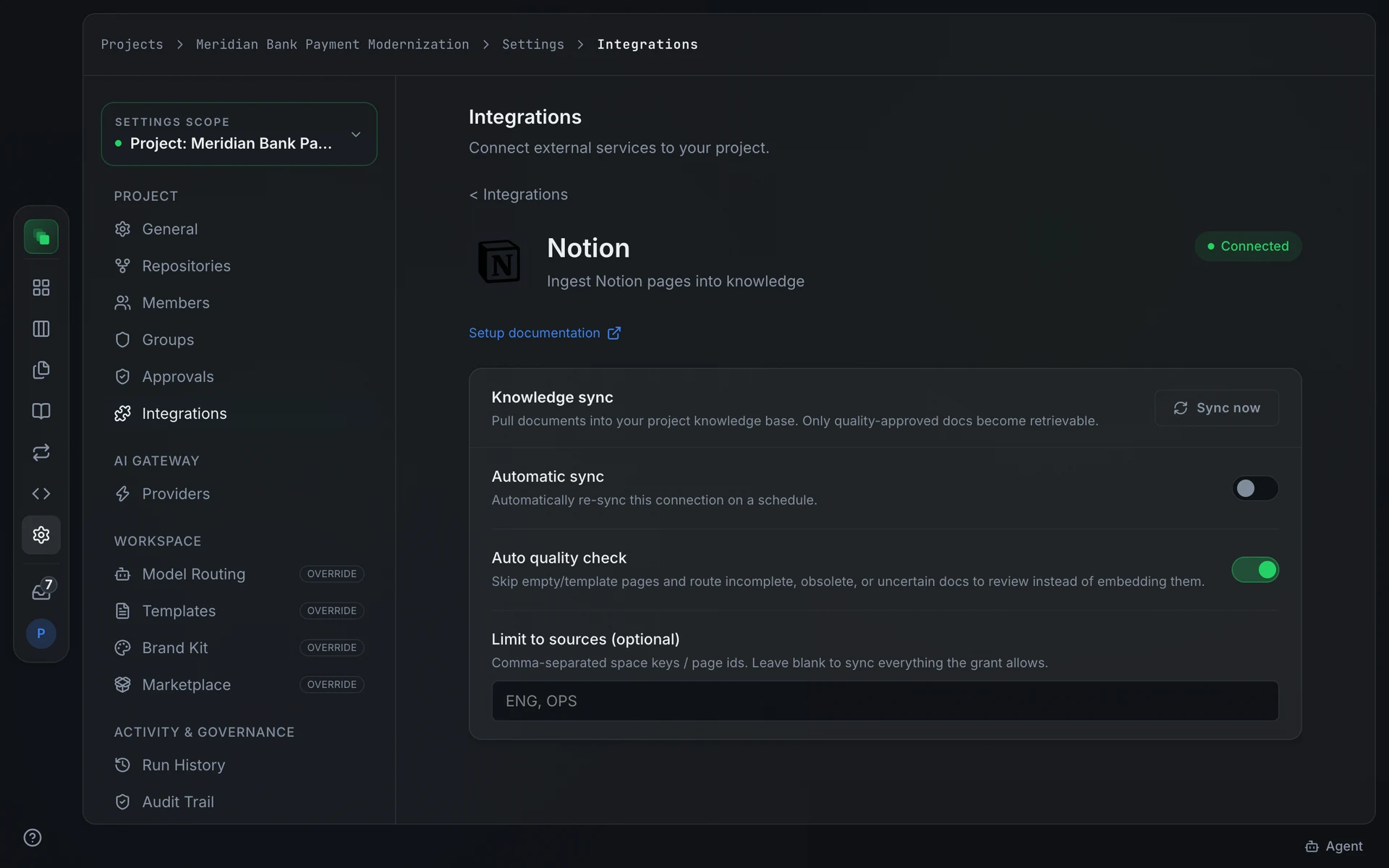
The Knowledge sync card on the integration detail page controls how and when pages are pulled.
Press Sync now to start an immediate pull. The card shows the timestamp of the last completed sync.
Automatic sync is off by default. Enable it and choose a frequency from the Sync frequency selector:
Auto quality check is on by default. It skips empty or template pages and routes incomplete or uncertain documents to review rather than embedding them directly into the knowledge base.
Limit to sources (optional) accepts a comma-separated list of page IDs. Leave it blank to sync everything the integration can access.
Events
Notion does not deliver inbound events to Flezise. There is no Inbound events card on the detail page and no event table for this provider. New and changed content is discovered only when a sync runs.
Next steps
- Integrations overview: the full provider catalog and capability chips
- Confluence: a knowledge provider that also delivers page-change events