
Brand Kit
The Brand Kit tab stores the brand assets that generation draws on when it builds project outputs: color roles, typography families, logos, images, videos, private fonts, and the PowerPoint slide template for presentations. Assets set at the platform scope are available to every project.
Read this if you manage the design language for generated outputs. You need the Administrator role.
Import from a website
Import from website starts the kit from an existing site, at the platform or the project scope. Enter a public URL and press Capture to see the site's palette, its display and body fonts, and its logo candidates. Each swatch shows the color role it will fill, or not used when its role is already taken.
Apply to Brand Kit fills the Colors and Typography editors below. Nothing is saved until you press Save colors and Save typography, so you can adjust the values first. The logo you pick is imported straight into your brand assets; it must be PNG, JPEG, or WebP, so convert an SVG or ICO logo and upload it yourself.
At the project scope, saving the imported values creates project colors and typography that override the platform ones, and the logo becomes a project asset.
The capture reads the site's stylesheets without running its JavaScript, so a site that builds its styles at runtime returns fewer colors.
Colors
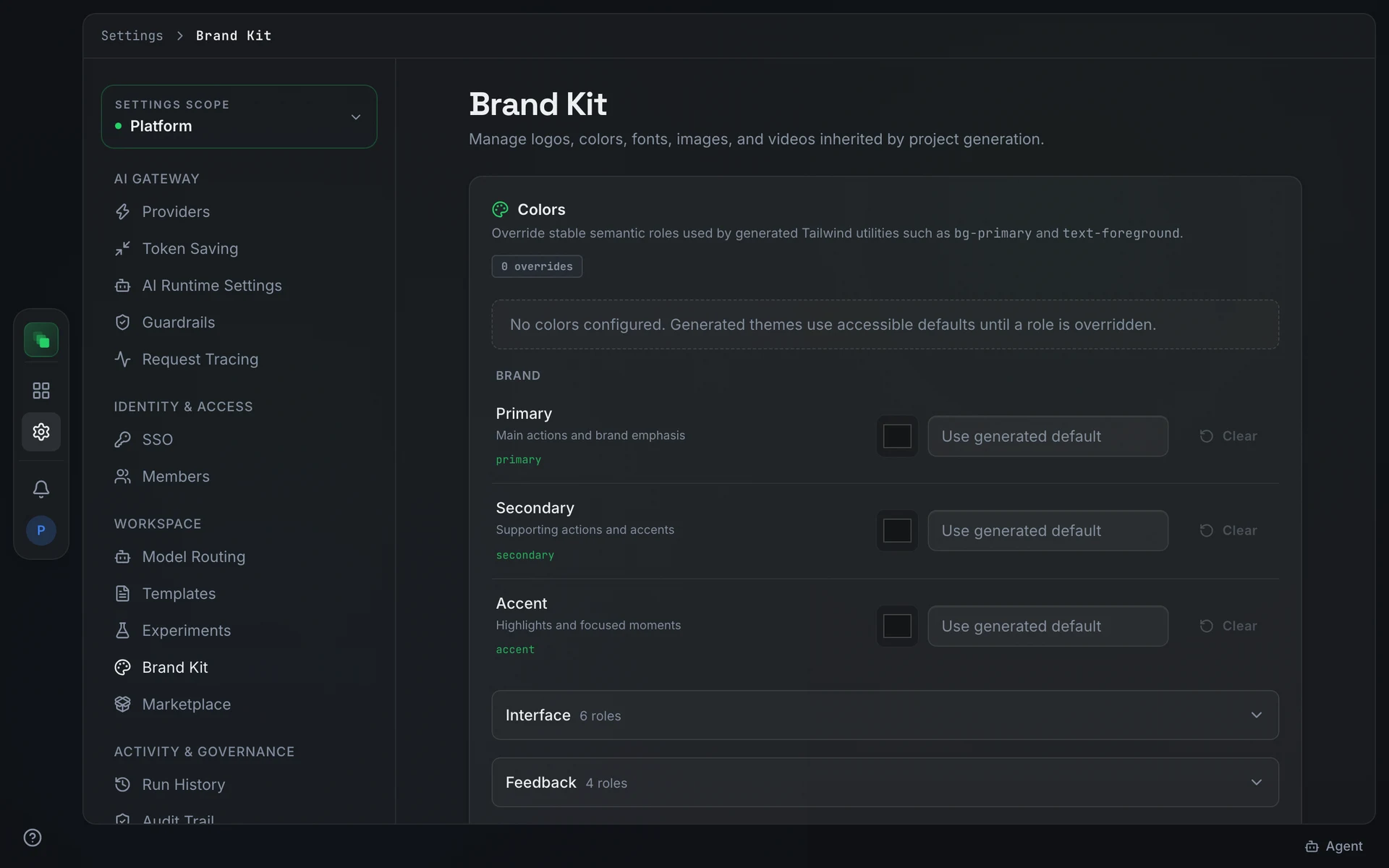
The Colors section lets you override the semantic color roles used by generated Tailwind utilities such as bg-primary and text-foreground. Roles with no value keep the generated accessible defaults.
Colors are organized in three groups:
Brand covers three roles: Primary (main actions and brand emphasis), Secondary (supporting actions and accents), and Accent (highlights and focused moments).
Interface contains six roles: Surface, Alternate surface, Foreground, Muted surface, Muted foreground, and Border.
Feedback contains four roles: Success, Warning, Error, and Info.
Press Save colors after editing. At the project scope, Reset to platform colors removes the project's color document and restores the platform values.
Typography
The Typography section sets the font families that generated Tailwind utilities resolve to.
- Display font family: used for headings, titles, and prominent labels. Corresponds to the
font-displayutility. - Body font family: used for body copy, controls, and supporting text. Corresponds to the
font-sansutility.
Leave a field blank to keep the generated default. If you have uploaded private fonts, enter the asset name exactly as you named it on upload. Press Save typography to apply.
At the project scope, Reset to platform typography removes the project's typography document.
Upload brand assets
The Upload brand assets section accepts five file types:
Files upload directly to protected Brand Kit storage.
A Slide template is the PowerPoint file that presentations are built in: its cover, section, and content layouts, theme colors, fonts, and logo. Every deck in the project uses it unless the deck has its own template from Use template on the presentation page. A project's own slide template wins; otherwise the newest platform one applies. A deck already built picks up a new template when you ask the agent to rebuild it.
The agent keeps the template's colors and fonts unless you ask for a different look. When you pick a look that carries its own colors, such as a dark theme, that deck recolors the template: backgrounds, text, charts and cards change, while layouts and logos stay. The template file in the Brand Kit is not changed.
Brand assets
The Brand assets section shows a gallery of all uploaded logos, images, videos, and fonts. At the project scope, inherited platform assets are read-only. A project asset with the same type and name as a platform asset takes precedence for that slot.
Project inheritance
At the project scope, the Use platform Brand Kit switch controls inheritance. When on, the project inherits platform assets; a project asset with a matching type and name overrides the inherited one. Turning the switch off removes all inheritance, and the project uses only its own assets.
Next steps
- Templates: edit the artifact templates that consume brand assets.
- Marketplace: manage the brand packs that complement the Brand Kit.
- Settings overview: the platform-to-project settings inheritance model.