
AI providers
The Providers tab is where you connect the AI services your gateway routes traffic to. Connect a provider once at platform scope and every project inherits access, unless Project Keys mode is on.
Read this if you administer the platform AI Gateway. Connecting providers needs the Manage Providers permission, which the Platform Admin group carries.
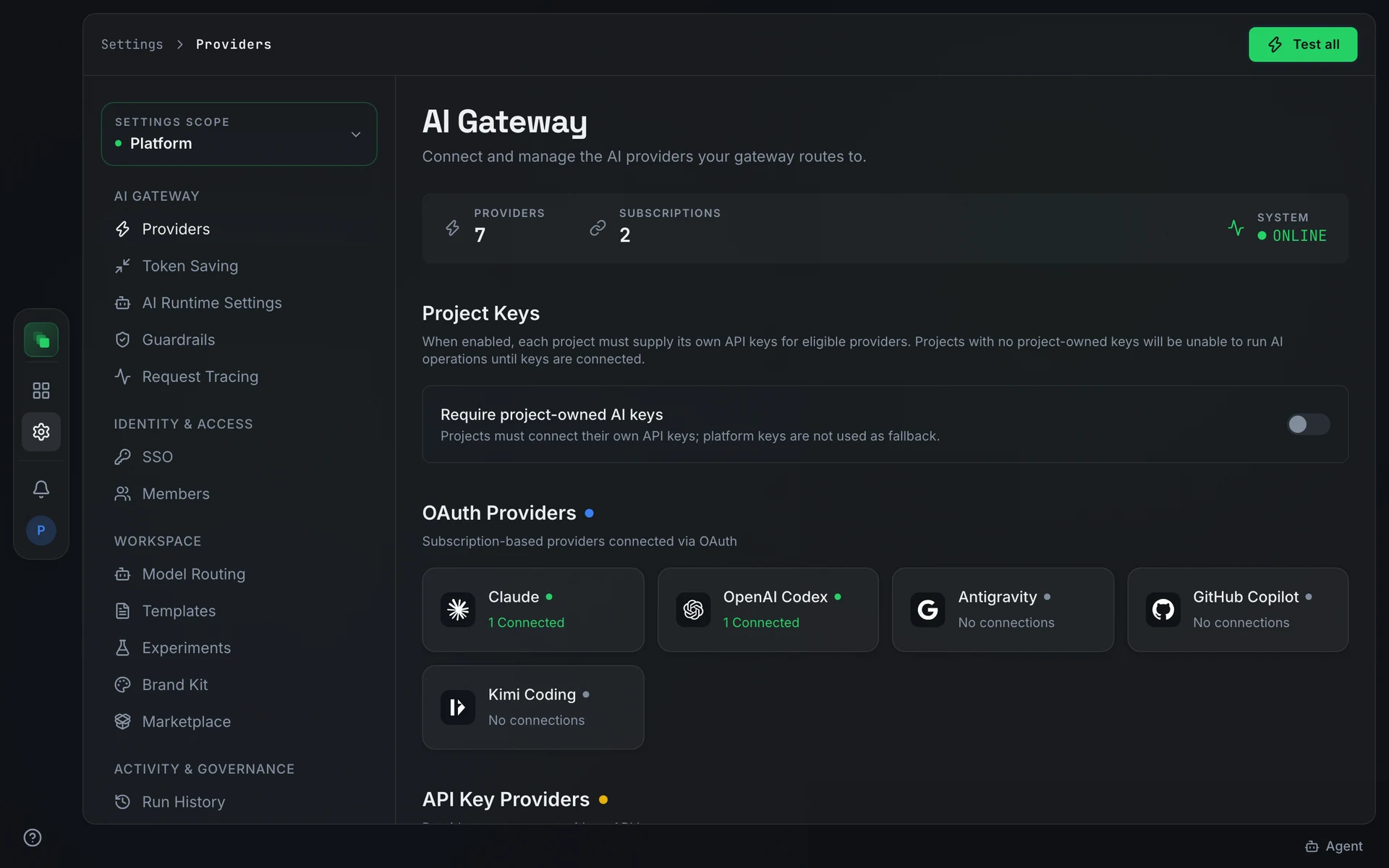
Connect a provider
Open Settings → Providers. The stats bar at the top shows three figures: Providers (total connected), Subscriptions (active OAuth connections), and System health (Online or Degraded). Press Test all to verify every connected provider in one pass. This button is available at platform scope only.
Subscription providers appear first. They connect through an OAuth flow rather than an API key:
API Key Providers ("Providers you connect with an API key.") and More Providers ("More OpenAI- and Anthropic-compatible providers. Connect any with an API key.") appear below the subscription grid. The More Providers section is filterable and collapsible.
Configure a provider
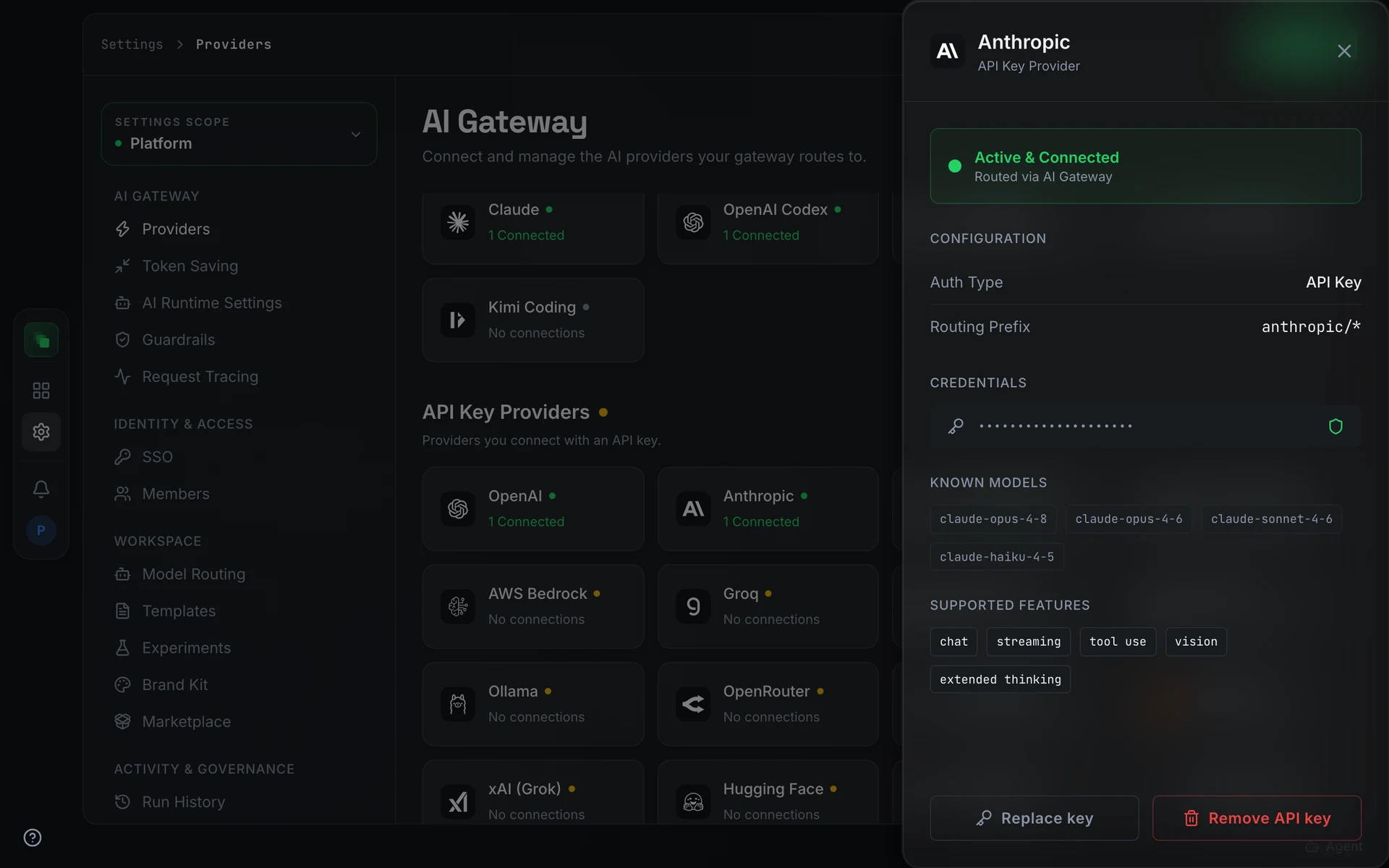
Opening a provider card slides out a detail sheet. The Configuration section shows Auth Type: API Key and Routing Prefix in the form {provider}/*. Paste the key in the API key field and save. A connected provider shows the status Active & Connected and the sub-label Routed via AI Gateway.
Project Keys policy
The Project Keys section on the platform Providers screen contains the toggle Require project-owned AI keys, described as: "Projects must connect their own API keys; platform keys are not used as fallback."
Enabling this opens a confirmation dialog titled Require project-owned AI keys? The message reads: "Projects without configured AI keys will be unable to run any AI operations. Connect project keys before enabling, or have project admins do so immediately after." Press Enable to confirm. The Security readiness blockers list names any projects not yet ready.
When a project admin later removes a project key, the platform shows: "Removing this provider key will disable AI features in this project that depend on it. Continue?"
Next steps
- Model Routing: assign a model to each work type
- AI Runtime Settings: configure knowledge, chat, and voice models
- Token Saving: compress prompts before they reach providers