
Inbox
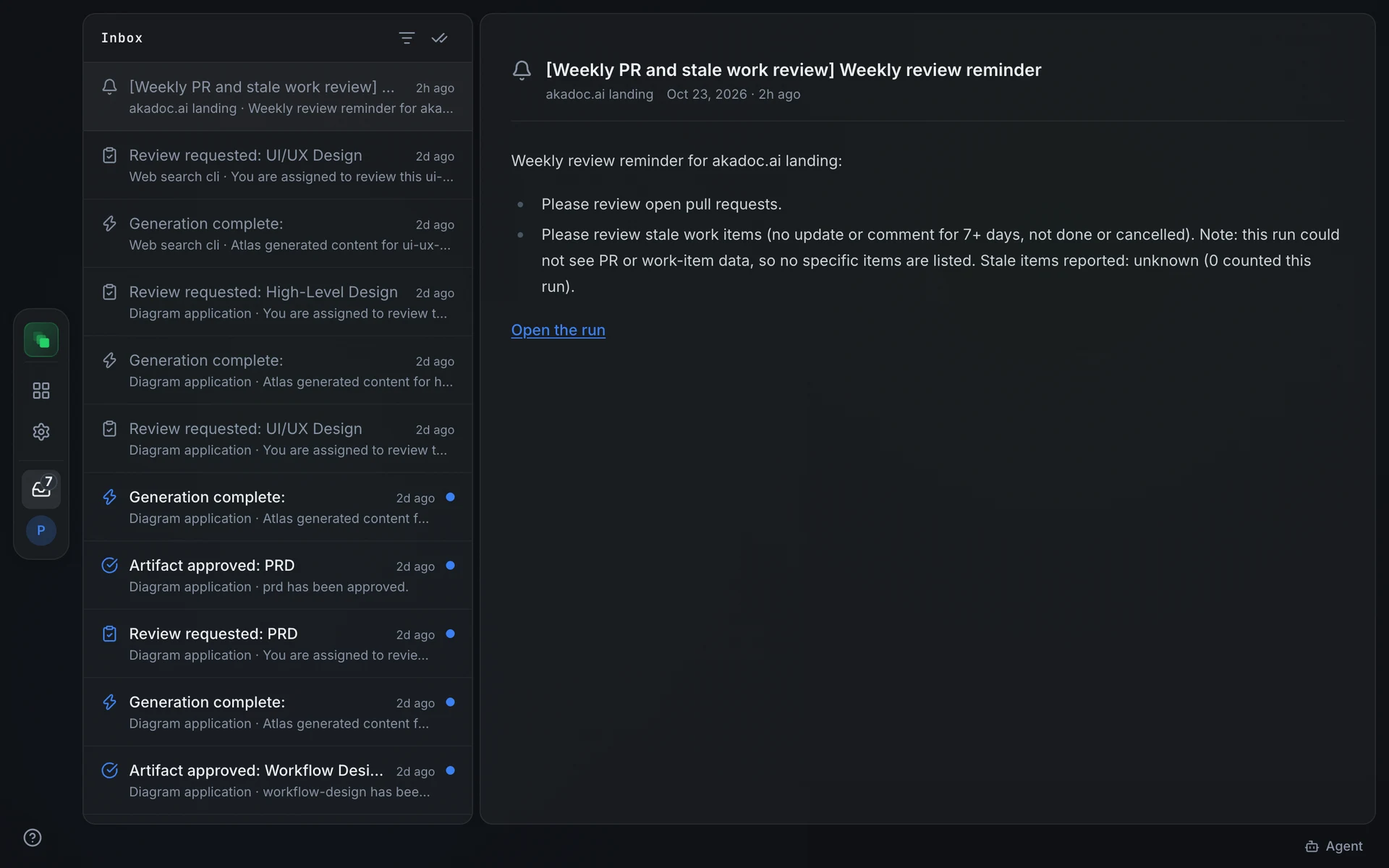
The inbox is the page that collects everything addressed to you: mentions, assignments, review requests, run results and Flezise release notes. Notifications stay there after you read them, so you can go back to one a week later and open what it is about without leaving the inbox.
Open the inbox
Press the inbox icon in the sidebar, above your avatar. A badge on the icon counts unread notifications and shows 99+ above 99. The inbox opens as a full page at /inbox, from any project or from the project list.
The badge refreshes every minute. Inside a project it also updates the moment a notification for that project arrives.
Read a notification
The list on the left shows the newest notifications first. An unread one has a brighter title and a blue dot. Each row shows the project it belongs to and the first line of the message; press Load more at the bottom to go further back.
Select a row to open it on the right; selecting marks it read. A notification about an artifact or a work item opens that page itself, with its content, comments and actions, while the list stays beside it. A notification with nothing to open, such as release notes or a budget alert, shows its full message; release notes link to the docs with Open in docs.
Two icon buttons sit at the top of the list. The filter icon shows unread notifications only; press it again to show all. The double check mark marks every notification read without opening each one.
On a phone the list and the reading pane take turns: select a row to open it, press Inbox at the top to return to the list.
What lands in your inbox
You never get a notification for your own action: assigning yourself or mentioning yourself sends nothing.
Mention a teammate
Type @ in a comment reply to pick a project member from the list. The mention is their email address up to the @, so Anh Hoang at anh.hoang@example.com is @anh.hoang. Typing it by hand works in any comment. Only members of the artifact's project can be mentioned. See Comments.
Inbox vs pending actions
The inbox holds events: things that happened and that you may want to know about. Pending actions are tasks: items that cannot move until you act. You can have unread notifications and nothing pending, or the reverse.
To see what is waiting for your input, ask the assistant "What is waiting on me?" or press the What needs me quick prompt. See Pending actions.
Automations and the inbox
When an automation sends a notify output to the project inbox, every active project member receives a notification linking to the run. A run that ends flagged for attention is a pending action, not an inbox item: open the run in Automations and press Acknowledge when you have reviewed it. See Automations.